Windows
Ksp2Redux-win-x64.exe
Run the downloaded file to open the Updater.
Latest stable release: 0.2.8.5
KSP2 Redux is free. Download the Redux Updater for your system, and it installs Redux on top of your own copy of Kerbal Space Program 2 and keeps it up to date.
The macOS version needs an Apple Silicon Mac. Prefer the terminal? Use the command-line installer.
Pick the file for your operating system. Every download is the newest release. Updater v0.6.0.0, released Sep 26, 2026.
Ksp2Redux-win-x64.exe
Run the downloaded file to open the Updater.
KSP2-Redux-macOS-arm64.dmg
Open the .dmg and drag KSP2 Redux into Applications. For Apple Silicon Macs, and it needs Rosetta 2.
It isn't signed by Apple yet, so the first time you open it, go to System Settings, Privacy & Security and click Open Anyway.
Ksp2Redux-linux-x64
Make the file executable, then run it:
chmod +x Ksp2Redux-linux-x64
./Ksp2Redux-linux-x64Downloaded it? The installation guide walks you through setting up the Updater and installing Redux. On a Mac, the Updater can download KSP2 from Steam for you and runs it through its own Wine runtime, see the KSP2 on Mac post. On Linux, the game runs through Proton, so also read Linux support.
redux-launcher-cli does the same install as the Updater from a terminal, on Windows, macOS and Linux. It doesn't need administrator rights, keeps itself up to date, and is handy for scripting.
The easiest way. It installs the CLI, adds it to your PATH, and upgrades it if you run it again. Then run redux-launcher-cli --help. The installation guide covers every command.
irm https://raw.githubusercontent.com/KSP2Redux/Updater/main/scripts/install-cli.ps1 | iexOr download redux-cli-x64.exe manually · 102.5 MB
SHA-256 d223127a85a197701bd320a837046683874b7c12b8123e0c90a23d6cda94eb71
curl -fsSL https://raw.githubusercontent.com/KSP2Redux/Updater/main/scripts/install-cli.sh | bashOr download redux-cli-macos-arm64 manually · 108.9 MB
SHA-256 0ddaaa53e33f5e2d8bcecf7930dcb8b6810c52da8d2ecba4e753d9a4ae8a82f2
curl -fsSL https://raw.githubusercontent.com/KSP2Redux/Updater/main/scripts/install-cli.sh | bashOr download redux-cli-x64 manually · 102.3 MB
SHA-256 d08d5a4cdc47419bd12989e977e461546de143b0065ee442fd4a6a25dba08781
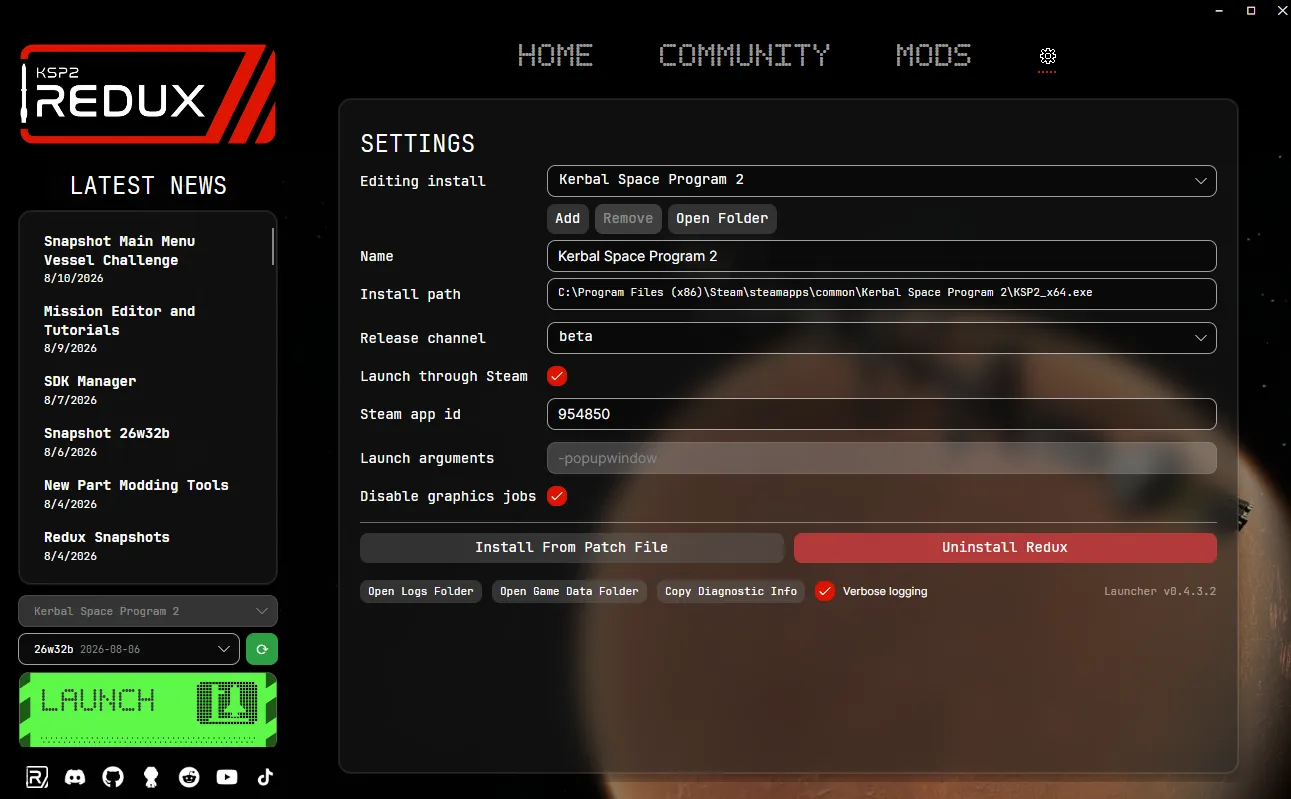
The Updater and the CLI both have two release channels. You can switch between them in the settings.
The tested release, currently 0.2.8.5. This is the default, and the right choice if you just want to play.
Builds of the latest work, released most weeks. You get new features first, but expect bugs, and don't play your main saves on them. Every snapshot has a changelog on the blog.
You need your own copy of KSP2 from Steam or the Epic Games Store, on stock v0.2.2.0, the last official version, and at least 4 GB of free disk space. The installation guide has the full requirements and every setup step.
To check a download, compare its SHA-256 with the value on this page, using Get-FileHash .\Ksp2Redux-win-x64.exe in PowerShell or sha256sum Ksp2Redux-linux-x64 on Linux. Release notes for every Updater version are on GitHub.