This is a compilation of the answers to the questions that were asked during the KSP2 Redux community Q&A stream on June 6, 2026. We have also included some questions that were asked in the chat but were not answered during the stream, and we have answered them here.
Question
Roadmap
How’s the development of stage 0 going?
Answer
munix: We are getting very close to the first release of Foundation. We have basically all of the features apart from Dresteroids and ISRU completed. ISRU is also reaching a pretty finalized state, and we have one of the two Dresteroids done. Hopefully it should be within the next few weeks that you will be able to play with all of those things, and we can technically consider the Foundation stage officially released.
Question
Modding
Does CKAN support Redux? Do existing KSP2 mods work with Redux?
Answer
munix: Not yet. We are planning to have CKAN support once Redux has a stable release and is out of beta testing.
As for existing mods, we are making extensive changes to the modding API and the mod loader. Currently, KSP2 mods will not work with Redux unless they are specifically updated for the current version of Redux. That is something we will help modders with once we reach the stable release.
Question
Game Modes
What will be the difference between exploration and frontier mode as both require resources
Answer
Safarte: Exploration mode will be more focused on exploring the Kerbolar and neighboring systems. In this mode, the resources that are used to build advanced engines and complex parts will simply be unlocked by, for example, establishing a colony that extracts and refines that resource. Once the resource has been unlocked and the colony in question has been linked to a supply network with all other colonies, you can build any part on a vessel that uses this resource on any colony of the network “for free”.
In Frontier mode, resources will have quantities and extraction rates, and you will have to manage the logistics of sending those resources at given rates based on how fast you can do your resupply missions and how you establish your resupply routes. You can kind of think of Exploration and Frontier modes as successors to KSP1’s Science and Career modes respectively.
Question
Team
How many people are currently working on the project?
Answer
Safarte: There are around 20 active developers and artists currently. This number fluctuates a lot depending on everyone’s availability, but that is the rough current number.
Question
Project Future
Asked by tsingshitao
If KSP2 Redux really brings KSP2 back to life, would you consider reaching out to the company that bought KSP2 for a collaboration?
Answer
munix: We would definitely like to work with them in some sort of capacity, be it as part of official development or something unofficial, in the way that they could possibly give us the source code for the game under an NDA and we would keep developing Redux in the way we do now, or something similar to that.
One possible model of collaboration is something like Portal 2: Community Edition, which has its own Steam page but requires you to own the base Portal 2 game. But this all depends heavily on what the company will be open to, and whether they have any future plans for the game or not.
Question
Roadmap
When will we see the features from the KSP2 roadmap?
Answer
munix: Whenever we finish them. We do not really have any sort of deadlines or estimates, because this is something that I enforced upon the team once last year, when I promised that we would release Redux in summer 2025. As you could all see, that did not happen, because everyone got so burned out that the project almost died for a couple of months.
So the answer is: no estimates or deadlines. We do not want to overpromise or promise anything we cannot follow up on.
Question
Roadmap
Asked by Amadeo Schneider
Are colonies, interstellar and multiplayer really planned?
Answer
Safarte: Yes. We have already slowly started working on the game design and some art for colonies in the background while preparing for the first stable release of Foundation. We have already done some basic work and planning for multiplayer, and we have lots and lots of plans for interstellar, like concepts for celestial bodies, and we have a lot of information from the original developers on engines that can be found in their communications and other material.
So yes, those are planned for sure.
You can find our roadmap at https://ksp2redux.org/roadmap, and we will be updating it with more details as we go along.
Question
Roadmap
In your road map, I’m specifically interested in how you plan to add interstellar travel, colonies, habitat on other planets, etc.
Do you plan to create new mechanics such as Orion drive engines?
And will we be shown free IVA in the near future?
Answer
munix: This is a loaded question, there is a lot to cover. For the first part, we could spend days and weeks talking about how colonies and interstellar travel are being planned and how they will be made, but I can just say that it will be a lot of work, so we have a nice few years in front of us working on those features.
When it comes to Orion Drive-style engines, yes, those are planned to be added with colonies, just like the original developers were planning. We have already seen some showcases of this engine from them, so we will be following in a similar fashion.
IVA and free IVA are things that we are internally discussing. We do not currently have any sort of announcement for it, but it is something we would like to do eventually.
Question
Colonies
Asked by Lava778
How will the distinction between a large craft and an orbital colony be made?
Answer
munix: Colonies will specifically require a colony founder part, which is like the HQ of the colony. This is a part that you will put on a rocket, fly somewhere in space, or land on a different planet. When you deploy it, it will turn the vessel that carries it into a colony, both in orbit and on the surface.
The same part will basically be used as the center of colony management. It will be used to enter the colony building mode, where you will be able to modify and expand your colony based on the resources you have.
For orbital colonies, it will also be possible to use this part to pack the colony, which will turn it back into a normal vessel. That means you will be able to start the engines and move it to a different place, then unpack it again, which will turn it back into a colony where its orbit cannot be affected and where you will be able to use all of the colony science, build vessels, and use all the colony systems.
Question
Colonies
Asked by Anty
How will colonies work?
Answer
munix: Same answer as the question just before. Colonies will use a colony founder part, which acts as the HQ of the colony. You will put it on a rocket, fly it somewhere in space or land it on another planet, and when you deploy it, it turns the vessel into a colony.
That founder part is also the center of colony management and the entry point for colony building mode, where you modify and expand your colony based on the resources you have. Orbital colonies will also be able to pack back into a normal vessel, move somewhere else, and unpack again.
Question
Parts
Asked by SGLH__上官乐黑
Will the Gravity Ring component be added to the game in the future?
Answer
Safarte: Yes, we plan on adding gravity rings, mainly for orbital colonies and for large interstellar vessels. That is planned. We do not know if we will add special gameplay features around it, but the parts are planned.
Question
Colonies
How would orbital colonies construct vessels, it it something like the space VAB in the debug menu and will we be able to toggle autosave before launch?
Answer
Safarte: At your orbital colony, when you have a specialized shipyard part, you will be able to enter a VAB-like interface from it, build your vessel there, and either directly attach and save it as docked to the orbital colony, or launch it with the special orbital launch clamps that were showcased by the original developers in the past.
Those orbital launch clamps will be attached to your colony to create a sort of orbital shipyard where you can launch vessels from, and the vessels will be built using the VAB-like interface.
Question
Parts
Asked by KarateBuster2000
Will air brakes ever get features to act as flaps like in ksp1 or like the grid fins in ksp 2?
Answer
munix: Yes. I saw the question and decided to immediately implement it, so this feature will be coming in beta 7.
Question
Parts
Asked by Suppise
Will starship style flaps be considered to be added in the near future?
There’s a suggestion post saying it is too niche to be added right now, but it’s from a year ago so idk if things could have changed since then.
Topic post :klueless:
Answer
munix: Yes. This is another question where the answer is: I saw it, I liked it, and it is already implemented for beta 7. You can see them in action here: https://www.youtube.com/watch?v=WnhIjF_z2Go.
Question
Colonies
Asked by Walter
First, I would like to say thank you for making redux. It’s incredible that you all are wanting to continue the work of the devs and make this game flourish how we all imagined it would back in 2019/2020 and it means the world to us in the community. Now, my question is with colonies. With how the initial trailer it seemed like a fairly large colony, almost like a city. Is that something we can expect or would it have to be constrained to a smaller scale to work with the games engine? What type of buildings/habitats can we expect to have, and what can we expect with modability? I would expect that modules would be the easiest way to implement them but also having the ability to explore inside of them like free iva in ksp1 and maybe interact with the stuff inside your bases. Best regards to the team and I wish the smoothest sailing for development, you guys have reignited my love for the kerbular system.
Answer
Safarte: Thank you for the really nice message. It means a lot to us, and it really made our day when we received the question.
Regarding colonies and large cities, that is what we hope to support. It is one of the main reasons why we are working on converting all of the core game simulation systems to DOTS, Unity’s Data-Oriented Technology Stack, which includes ECS, Burst, and Jobs. This should allow us to have much better performance when we scale up to a very large number of parts and very large colony builds, especially when you have a lot of background vessels and background colonies doing a lot of stuff.
As for specific building or habitat types, we do not really have anything to share right now. We have not fully started the modeling work for all colony parts. You can always check out the archive of the original developers’ communications, which can be found here on the KSP forums.
Regarding moddability, modding colonies should be as easy as, and the same kind of thing as, modding rocket parts. Hopefully, that is the plan.
Regarding free IVA, it is something that we are internally discussing and might add eventually, but it will increase the amount of work and the amount of time required to make every part and every building by a lot. So that is a compromise that we have to discuss.
Question
Colonies
Asked by WorkableDirector
How do you plan on implementing colonies into the game? Was there some development done before Redux started that you can utilize to help, or is this something that must be done from scratch?
Answer
munix: There is close to no code for colonies in the game. There are hints of it, but essentially we will be starting from scratch.
We have talked at length internally about how to handle the technical standpoint of orbital and surface colonies. We have a pretty good general idea of how we want the gameplay to work, but the full game design will need to be finalized. We will get to that point after we release Foundation. That is when the brunt of colony work will be done.
Question
Colonies
Asked by Boe
will there be a max size a surface or orbital colony can be so could we build massive colonies or will there a limit on how big one colony can be
Answer
Safarte: Similarly to vessels, the limits will be as big as your imagination (and as your hardware allows). There might be some gameplay limits depending on the tier of the colony, but that is still in discussion. The goal is to enable players to build whatever they can imagine and not limit them creativity.
Question
Performance
How much optimization will be possible? Frame rates are not great
Answer
Safarte: Redux has already improved performance significantly in many situations, especially for lower-end systems. We do not currently have full benchmarks with hard numbers on how much all the changes have improved performance. That is something we are working on.
In the future, the migration to the ECS system for background simulation, as well as other ongoing optimizations, will help optimize the game more and more to improve performance and hopefully enable as many people as possible to play it.
Question
Performance
How much does Redux improve performance?
Answer
Safarte: That was kind of already answered. It depends on the hardware, and the numbers are a bit variable, so we cannot give a definite answer. We have usually seen anywhere between 20 to 80% improvement across different system and situations, sometimes even more on very low-end hardware.
Question
Development
Asked by idon’tknowwhattosay
Are you sure that a team of volunteers could be able to complete something like colonies at interstellar on a buggy, broken code base that could not support colonies at interstellar based off of Kerbal Space Program 1?
Answer
Foonix: As far as the codebase being buggy and broken, we have been in a continual process since the beginning of development to smooth things out wherever possible. During a lot of the optimization work, a lot of the work has gone into removing steps, simplifying stuff, getting rid of things that do not make sense, dealing with weird initialization orders, and smoothing things over. That is actually where some of the performance comes from, and it solves the problem of the buggy, broken codebase at the same time.
I have been trying to push everything toward being able to run in ECS and toward being as simple as possible so that I can use tools like Burst. There is no barrier to changing the code here. It is pretty straightforward to make arbitrary changes to the code, and we have been combing through it the whole time. I think we are going to be better and better set up going forward.
munix: There is also a common misconception that KSP2 code is basically just a copy of KSP1, and that really could not be further from the truth. There are some remnants and some little files copied here and there, like Vessel SAS for example, but overall the architecture is very different and much more mature in KSP2, which makes it a much better base overall for this sort of large development than KSP1 could be.
Question
Project Scope
Asked by JAC
How big will the final file size be?
Answer
Infinity: We honestly have no way of knowing, but given the relative size of the parts and the planets that we are adding, and the fact that we are going to be adding a whole lot more of them, probably in the tens of gigabytes. Maybe upwards of a hundred gigabytes if there is that much content to be added.
We will of course look at ways to lower this, but it is just the sheer content. Textures take a lot of space, and there will be a lot of them because we plan on adding a lot of things.
Question
ISRU
Asked by Jebediah Kerman
For the basic ISRU, based on the teaser video of resource scanning it seems like there will alot of metals like Iron and Nickel, however I don’t see how that could be refined into fuel, Will the Refinery only take in for example water and turn that into fuel and then the other materials (like Iron and Nickel) will just be completely useless until colonies. Or will the refinery just make fuel from litterely anything you mine.
Answer
Safarte: The teaser was showcasing only the system, not the final resources. We put in some placeholder resources mostly to fill in the UI.
While there will definitely be some metals that you have to mine with the colonies update, at first, the Foundation version of ISRU only includes carbon regolith, ammonia, and water, which will be used to make methalox, monopropellant, and hydrogen respectively.
Question
ISRU
If a colony doesn’t have a way to refine a resource into methalox (but is in a place where that ressource is avaliable, just don’t have the “factory” to do it), will we be able to “dock” to that colony a ship that have an ISRU part that can produce methalox, and use that ship to produce methalox for the colony?
Answer
Safarte: Yes, that is the plan. Any vessel within a certain range of a surface colony, or docked to an orbital colony, will be able to transfer resources to and from the colony containers. That enables this kind of off-colony refining: refining on the vessel and putting stuff back into the colony, for example, or mining raw resources at the colony, sending them to the vessel to be refined, and then using them as fuel.
Question
Colonies
Asked by iamonthewatchlist
Will the auto ships (as in ships auto refuel once you do it one time) (from a planet to a colony) release with ISRU or orbital colonies
Answer
munix: The supply routes functionality will not be added with ISRU, because there would be very little use for it. It will come with colonies, and we are not yet sure exactly at which stage because we are still discussing how exactly the colony updates will progress.
They will be most useful in Frontier mode, which will very likely arrive at a later point than the initial Exploration colonies gameplay, which will instead be more focused on unlocking resources and building up your colony and your supply network, but without having to worry about resource quantities and extraction rates.
Question
ISRU
Asked by _davidah
Will we get more ISRU features and parts in the near future, if there are, what could we expect? Like the survey scanner from ksp1 which let us know where the ore is
Answer
Safarte: Regarding ISRU, specifically on-vessel ISRU, meaning ISRU parts running on vessels and not on colonies, it will drop all at once. It would not really make sense to only release the drills if you do not have a scanner to know where the ores are, or only release a scanner that tells you “there is some regolith here that you can mine” without having the drill to mine it.
The plan is to include it in the next beta, but this is not a promise right now, that is just what we hope to do.
We also showed a very short teaser video of some of the newly modeled and improved ISRU parts (you can watch it here). On the vessel, you can see the newly done models and textures for the drills and converters using the system that was already showcased a long time ago. You can use the converter to convert the mined resources into fuel. We have been doing a lot of background work on optimizing all of this and finalizing it to be released as soon as possible.
Question
ISRU
How buggy is ISRU right now? Can you give us an example of a bug during development?
Answer
Polo: One of the bugs that we fixed in the ISRU feature involves the resource overlay in map view.
When you scan a celestial body with the resource scanner to look for resources, you can enable the resource overlay. That is a visual mode that replaces the planet’s normal texture with a color-coded map showing the distribution of resources across the surface. Technically, this is done by swapping out the planet shader with a custom one that renders the resource data.
When you turn the overlay off, the game restores the original shader to make the planet look normal again. To do that, the game has to save the reference to the original shader in memory. The bug was that when you initially enabled the overlay on one planet and then changed SOI, you could accidentally restore the wrong shader to the current planet. For example, you could put a Kerbin texture over the Mun. That was one of the more interesting visual bugs we had for this feature.
Question
ISRU
Asked by MarsFlame.
What will be Redux’s ISRU Ore name, since most fuels from KSP1 are renamed in KSP2?
Answer
munix: In KSP2, we will have no single ore resource. Instead, every resource will have its own name.
For example, for building colonies and rockets, you will probably need to mine and process some metals. You could imagine that we might have iron ore as a resource that you mine and then steel as a material that you process out of it. For the basic Foundation ISRU that we have been showing off, we are working with carbon regolith, ammonia, and water ice.
Question
Visuals
Asked by LTQ
Will the volumetric clouds for KSP 2 Redux receive further development? Will we eventually see volumetric clouds comparable to the excellent ones in KSP 1? Also, will KSP 2 Redux get updates to improve terrain details just like KSP 1‘mod ? Thank you.
Answer
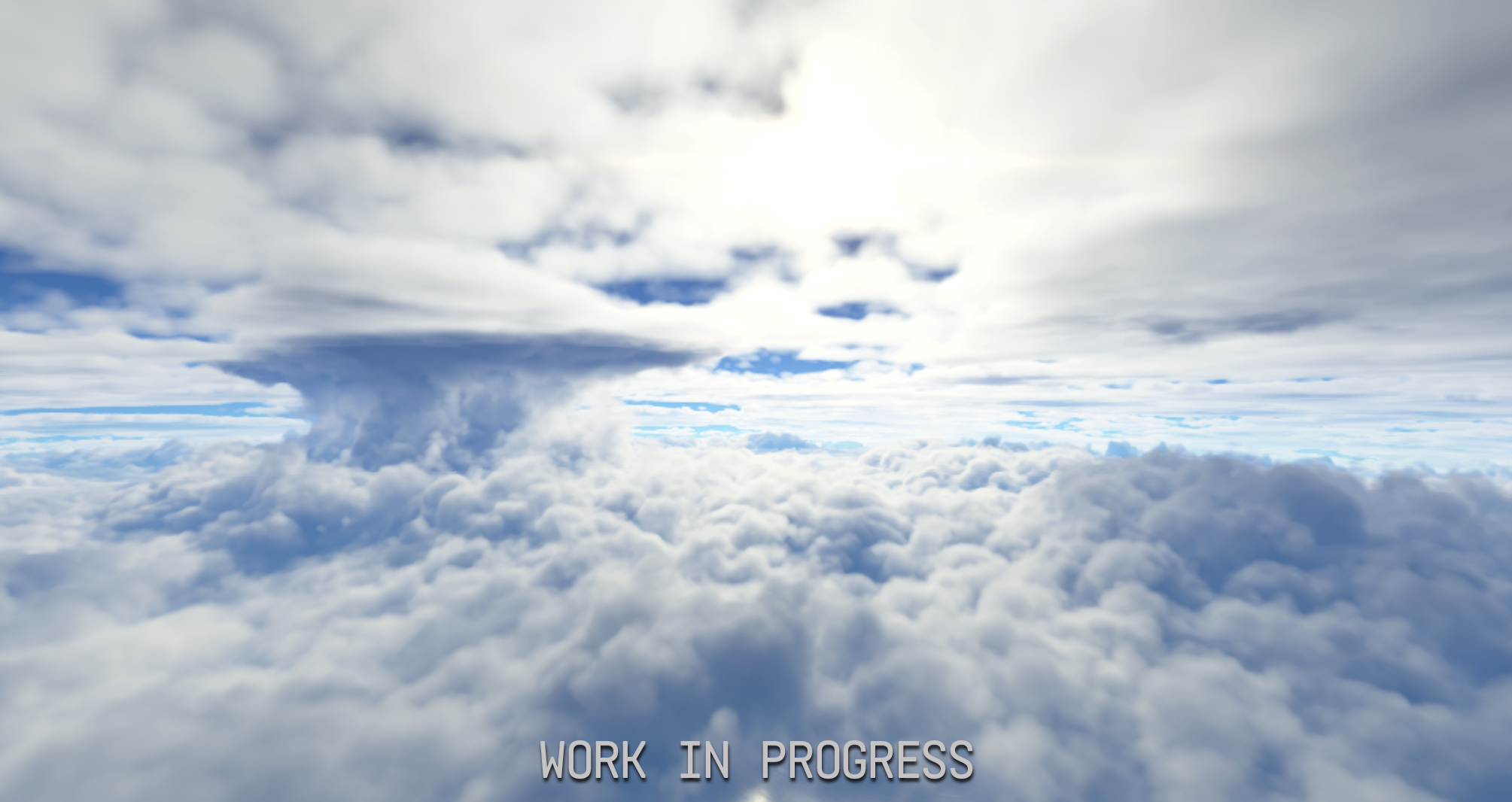
dan: We have not been focusing on graphics primarily, because we do not have access to the shader sources. We made some progress on that front in beta 1 by improving cloud shapes and cloud layers, but there is still a long way to go, and we do not really have anyone on our team with the same expertise as blackrack.
Safarte: If anyone has a lot of experience writing Unity shaders for clouds, planet rendering, oceans, or similar things that would be useful in KSP2, please do not hesitate to reach out to us. We are always looking for more experienced volunteers.
Question
Visuals
when will the special part explosions be added?
Answer
dan: VFX is not a high priority, but the system for the special part explosions is there. It already checks for atmosphere temperature, atmosphere depth, gravity, Mach number, and fuel type. It is just a matter of implementing the effects.
Question
Visuals
Asked by 冷愣冷愣冷扔(LengLengLengLengLengReng)
Will the volumetric cloud effects in the game be improved in the future?
Answer
dan: This was answered a couple of questions earlier. It is not a high priority right now, and we would like to look at it at some point.
We would love to make the clouds look like the ones shown off in the last official KSP2 dev update.
Question
Modding
Do you plan to expand a feature of KSP1 mods being able to work in KSP2? (by expand I mean making it work better, load faster,
or maybe even port some popular mods by hand)
Answer
munix: In the future, most of the work on these part conversions will be focused on the SDK side, meaning the actual editor tooling for KSP1 modders who want to convert their mods to KSP2, rather than on the “just drop the files in and the game will do it for you” side.
The automatic conversion was mostly just a technical demo to give people a taste of what we can do. The SDK side for converting KSP1 mods is now almost finished and ready for the beta 7 release. So if you have a KSP1 mod and you want to work on porting it to KSP2, the release of beta 7 will be the perfect time for that.
That said, the runtime side of Project Shakespeare will still continue receiving minor improvements and optimizations.
Question
Modding
Asked by Amit kerman
Will there be a “Shakespeare Project” for kopernicus mods as well?
Answer
munix: Yes, this is something that we would definitely like to look into and have already discussed. Again, it would most likely be in the form of editor tools that allow KSP1 modders to more easily convert their mods into KSP2, rather than a runtime player-facing feature.
Question
Roadmap
When will redux exit stage 0?
Answer
Safarte: After we beta test the Dresteroids and ISRU, we will start working on colonies, though maybe more Foundation updates will also come out during that time. So, when everything has been tested and smoothed out.
Question
ISRU
Asked by Karatebuster2000
How long does the development team think it will take for the irsu system to be added?
Answer
Safarte: We cannot give out an estimate, but we hope it will be in beta 7.
Question
Roadmap
Asked by Tomek
How far is it from the first stable release to the completion of Foundation Stage and when do you roughly expect each stage to be done? Also what version number will each stage be?
Answer
munix: We would consider the Foundation stage done on the day that we release the first stable Colonies update. It will not just be “this is the Foundation release and that is done”. It will be more of a process, similar to how we were in the For Science! stage of official KSP2 updates for the whole duration from 0.2.0 to 0.2.2. Something similar will apply to Foundation.
When it comes to finishing the main roadmap features of Foundation, we do intend to have those all in the first stable release, which is hopefully coming somewhat soon.
Question
Roadmap
How long do you expect it to take, realistically, to finish what the devs originally promised?
Answer
Definitely give us at least a few years, because realistically you have to expect that as a small team of volunteers working on this in our free time, it will take longer than it would for a professional game studio.
Question
Development
How hard has it been to work on this project?
Answer
munix: It ranges somewhere between “this is a very fun side project that feels really rewarding to work on” and “I hate every waking moment of my life while trying to fix some specific issue.” That is the honest answer.
Foonix: Sometimes we get to play around and try fun ideas. Other days, something like the launch clamps breaks and you spend two days trying to realize what exactly broke, only to find out it was something stupid. It goes back and forth between “I did a cool thing” and some issue becoming a Sisyphean task to fix.
Infinity: And it always ends up being something stupid, invariably.
munix: Most often, it is something like a one-line fix after a week of issues.
dan: I just wanna say, I hate the maneuver node system.
Safarte: And we definitely have some shared trauma from the fairing code. Personally, the project is most often fun. Sometimes, especially because I do a lot of management-adjacent work, it feels a bit like a second job. But that is fine. I like doing spreadsheets.
Question
Community
How does the KSP2 hate, and Redux skepticism affect your motivation to work on this mod?
Answer
munix: Honestly, it kind of just makes me want to do a better job at refuting the crazy amount of misinformation that we see surrounding KSP2. There is a lot of it - just go on any KSP-related subreddit or Discord server and you will see for yourself.
Recently, though, especially after the releases of beta 5 and beta 6, we have been seeing so much more positivity than ever before. That is really heartwarming and motivating. There has been a real turnaround of public sentiment around the project recently, and that has been very good to see.
Question
Releases
Asked by RCKT_GRL (Rocket girl)
Have you considered giving the updates fun names like the “Official” ones had? Like maybe for update 7 something like “Digging it” ?
Answer
Safarte: Yes, we will probably start doing some fun naming for more significant updates, probably starting with the first stable release. That is definitely something fun that we want to do.
Question
Project Future
Asked by ParanoidFBI
Hey there, Redux!
What is the chance this project gets abandoned as the original game? :)
Thanks
Answer
Safarte: That is very hard to quantify. Right now there is a lot of motivation in the team for working on the project, so that is not something that is on the horizon at all. You never know what happens, but hopefully the chance is as low as possible.
munix: We also do not have a massive publisher behind us who can fire us at any moment, so that is a plus.
Safarte: We are our own bosses, which gracefully gives us our salary of zero dollars.
Question
Community
Will you be working with teams of other projects (such as Promised Worlds)?
Answer
Infinity: Yes, we already do. If you look in the Discord chat, you can see that Emu, who is the lead developer of Promised Worlds, is on our team. She has been working a lot on the Dresteroids coming in the next update.
munix: As well Arekusu, here in the chat, and a couple of others.
Safarte: We might have a few people from Promised Worlds helping us. They voluntarily came to help us, which is very appreciated.
Question
Getting Started
I have been holding off on KSP simply because I have been waiting on the KSP2 Redux mod, would you say that the mod is currently in a state where it would serve as a good starting point? If not then where in the roadmap will that be the case.
Answer
Infinity: Honestly, since the first release, I think Redux already serves as a really good starting point improvement over KSP2 itself. If there is a point where that certainly became the case outside the first release, I would say beta 5, when we made the install flow a lot easier.
Safarte: If you own KSP2 and want to jump back into the game, you should try Redux. It improves the game a lot already and makes the experience much more enjoyable.
Question
Contributing
Asked by “Lag” on discord, user ThatLagGuy
I’ve been seeing people on reddit calling your project a waste of time and a lost cause, it is driving me crazy because I love the work yall have put in for Redux. It is inspirational. I am a modder for KSP1, and I do coding at work. Are you guys looking for additional help or are there other ways I could contribute?
Answer
Safarte: First of all, thank you for the very nice message. As we said earlier during the stream, we are always looking for more volunteers.
Please check out the website if you would like to volunteer and want to see what we are looking for to help us bring KSP2 to the state it was promised, especially if you have experience with Unity, computer graphics, shader development, asset development, or anything else listed on the website.
The more people we have helping us, the faster the project will progress and the faster we will bring all the promised roadmap features.
Question
Funding
Will there ever be any way to donate using cash to help the project
Answer
Safarte: Currently, we are avoiding receiving donations in order to not get into any kind of trouble with the IP holders, since this is a project based on an existing IP.
I cannot say anything for the future. It will depend on what kind of interactions we can have with the new owners and how the project develops. So currently, no.
Question
Interstellar
Asked by Nizteroth
Are we getting the FTL or Near future engines like fusion or metalic hydrogen before the actual interstellar update? Would be a good way to get more people interested in Redux if these engines were implemented one form or another before the actual interstellar update.
Answer
munix: That is not something that we are planning for now, because the resources that you will need to build those parts will only be available in other star systems, apart from the first, initial, most low-tech interstellar engines, which you will obviously be able to build using materials from Kerbolar.
Another big reason is that it would take precious time away from working on the hundreds of colony parts that we will eventually need to make. That will be the focus first, before we start working on interstellar parts.
As for FTL, that not something we are planning at all.
Question
Propulsion
Asked by blahaj.mov
Once it eventually gets to that point, will the Orion Drive (Putt-Putt) be balanced for interplanetary or interstellar?
Answer
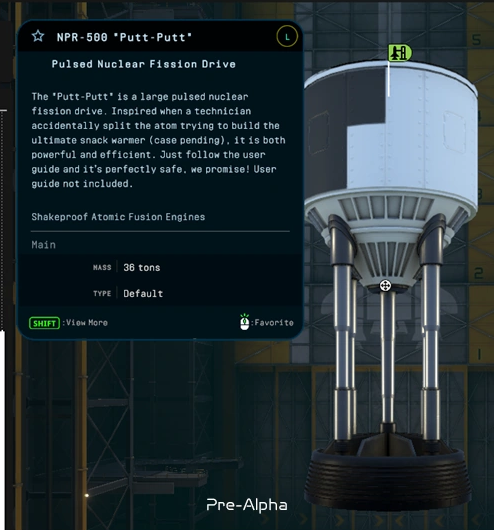
munix: The Orion Drive engines, or nuclear pulse propulsion engines, will come with the Colonies update, which means they will be tuned for interplanetary travel. They will mainly serve as tugs for heavy cargo between planets.
We will have many interstellar engines, so putting nuclear pulse propulsion in the interplanetary role makes sense.
Question
Parts
I wonder if you plan to add new parts at a higher level in the future?
Maybe new capsules? Or copies of capsules from the real world?
Maybe, for example, create a whole separate mechanic for space centrifuges
Or a more extensive VAB for building interstellar ships
Answer
munix: There will be multiple new tiers of parts over time, including colony parts and interstellar or other advanced vessel parts, such as the nuclear pulse propulsion that we mentioned, or metallic hydrogen, which will not be an interstellar fuel but will be an advanced form of interplanetary propulsion.
As for copies of capsules from the real world, we do not expect to add faithful recreations of real-world rocket or spacecraft parts. At most, we might use them as inspiration, but the designs will generally be original.
Question
IVA
Asked by L1liness
Will the game in the future include first-person view inside the cabin and the ability to move inside the cabin?
Answer
munix: That is eventually the plan. IVA, especially with free movement, will be a lot of work though, because it requires remodeling almost all of the existing crew cabins and all other crewed parts. So it is not something that we are focusing on right now.
Question
Discoverables
Asked by KarateBuster2000
Will we see alien life forms on other planets? Like amoeabeas?
Answer
munix: For those who have not visited Laythe, spoiler alert: the Heart Lake discoverable already does, according to the science experiments, have fish in it.
Hopefully, maybe someday, I do want to make those fish actually visible using particles. That could be cool. We also have some other plans to eventually introduce more alien life in other star systems, so that is a little teaser for the future.
Question
Story
Asked by magneticeel
Will you expand upon the story (best part of ksp2)
Answer
munix: I would not say I am working hard on it currently, but I do have some pretty extensive plans for the story campaign and for expanding it all the way to the endgame in the Qeg system.
Question
Game Modes
Asked by MEMEKING5215
Is there going to be a campaign mode like in ksp1 and are you all going make your own mods or adjust old mods to work with redux.
Answer
Safarte: If you mean something like Career mode in KSP1, the closest thing is our planned Frontier mode, as explained at the start of the stream.
Regarding mods, several Redux developers have their own mods which they will probably or definitely update when Redux gets a bit more stable. We would also like to help port the majority of old popular KSP2 mods to Redux when everything gets more stable.
For example, I am the author of the Kerbal Life Support System mod for KSP2, and I have started working on porting it to Redux. I just have not had the time right now to finish the port, but it will come to Redux for sure.
Question
Game Modes
Asked by FCFSS1
Will this game introduce an economic system like KSP1 in the future?
Answer
Safarte: We do not plan on introducing a funds or money system into KSP2. The limiting resources in Frontier mode will be the raw resources and extraction rates, and those will kind of replace the funds and money that you had in KSP1 Career mode.
Question
Kerbals
Asked by PinguPeng2010
Will you add specific roles for Kerbals, like in KSP1, and maybe develop it further to add more stuff related to the roles?
Answer
Safarte: It is not really currently planned, but we might revisit it in the future if a gameplay need for this type of thing emerges from our design and from how things develop. So maybe, but it is not planned right now.
Question
Parts
Asked by RCKT_GRL (Rocket girl)
Will the KSP1 DLC parts eventually be added to KSP2 Redux?
Answer
munix: It will not be the exact same parts, and it will not be all of them, but it is something that we are already partially working on with the addition of the SM+ parts category. A lot of those parts are inspired by the Making History DLC.
As for Breaking Ground, which mainly includes the robotic parts, those are on our radar, but they have a lower priority than the current roadmap features.
Question
Robotics
Asked by PlaneGeek1234
I was wondering if you will ever add the KAL controller.
Answer
munix: Expanding on the previous answer, the KAL controller is not in our short-term plans. But as part of the potential future addition of robotic parts, the KAL controller would definitely come with them as well.
In the meantime, maybe somebody wants to learn KSP2 modding and make a mod for it. Automation is always fun.
Question
Parts
Asked by Takovid
How many parts from KSP1 will be in the first stable release of v0.2.3? (Approximately)
Answer
munix: This is a really hard question to answer depending on how you look at it. If you mean whether all of the KSP1 parts will be directly copied or recreated in the game, then no, that is definitely not the case.
If you are talking about parts that are vaguely inspired by KSP1 or KSP1 mods, then the answer would be that all of the 400-plus KSP2 parts are based on KSP1 parts in some way. So it is hard to answer where you draw the line.
Neither our intention nor the original developers’ intention is to just copy-paste KSP1 and expand on it. KSP2 is its own game, with its own game design, visual language, engine archetypes, and so on. While we definitely reference KSP1 and its popular mods when making new parts, it has to be in service of specific KSP2 gameplay and user stories, not just “KSP1 had this part, so KSP2 will have it too.”
Safarte: KSP2 has its own DNA, and we want to keep it that way rather than just copy-pasting KSP1 into the game.
Question
Parts
Asked by PlaneGeek1234
Are you planning to add motors, propellors, etc like ksp1, as I would really like to build the things I would’ve built in ksp1, in ksp2. Furthermore, will there be electric engines for planets with atmospheres, and mining parts for refuelling, so we could have more fun, and longer-range missions.
Answer
munix: For the electric engines, that is definitely something we are looking into potentially.
For robotic parts, it hinges on first making our new analytical joint system stable. That is something I am working on, essentially completely replacing the stock Unity PhysX engine joints with our own system that should be much more stable, have zero wobble, and hopefully have better performance. Once that is tested and stable enough, we might want to look into robotic parts after that.
We have already been teasing ISRU for a long while, so parts for refueling are coming, hopefully in the next update.
Question
Gameplay
Is there anything planned to make it easier to do Falcon 9-style reuse, i.e. land the first stage and get the second stage to orbit? Currently you have to sacrifice one stage (or fly a
very inefficient gravity turn).
Answer
munix: Yes, I already kind of planned to make this mod before KSP2 was abandoned and Redux was formed, and now it is something I would definitely like to bring into Redux. Ideally it would be sort of similar to KSP1’s FMRS mod, but hopefully with better integration into the core gameplay loop.
Safarte: Now that reusability is the way rockets are done in the real world, it would make sense to add things related to that into KSP2. We want to inspire people to get into aerospace and rocketry, and everyone is doing reusable rockets now, so people should be able to do them in KSP2 as well.
munix: This is not the only feature that we are adding or plan on adding that helps with reusability. There is a little thing that we are working on right now which we may be able to tease soon.
Question
Gameplay
How about creating a built-in autopilot inside the game with all the functions like mecjeb2, for example
Answer
Safarte: That is not something we are currently planning on adding into the game, at least not in the full capacity.
We might add some tools to help with things like planning interplanetary trajectories and other similar planning tools. But for a full-on autopilot, that is something we will leave up to the modders, because the core experience of KSP is flying your own rockets, and for the stock game we want to keep it that way.
We will add a lot of planning tools for sure, because you will not plan interstellar transfers using the basic maneuver planner. It would be much too complicated and kind of impossible to do so. So new planning tools, for sure, but not a full-on autopilot.
Question
Star Systems
Asked by Boe
Do you plan to add more star systems than what was planned by the original KSP2 devs?
Answer
Safarte: We do not currently have any specific plans for more star systems, but there is always room for it after the full 1.0 release and the full completion of the roadmap. We will see after that, in a few years.
Question
Colonies
Will there be organic spacecraft parts?
Answer
munix: I am not really sure how this question was meant. The first thing I think of is living organism ships, like the Yuuzhan Vong ships from old Star Wars expanded universe. If that is the case, then no, definitely do not expect those in KSP2.
If you mean things like greenhouses and growing organic food for Kerbals, then those are things that we will probably be adding for colonies.
Question
Propulsion
Will there be Astrophage engines in the game? (from project hail mary)
Answer
Safarte: No, that is not planned right now.
Question
Discoverables
Asked by @kerbaldino2350
Will there be any kind of alien life to discover? Will there be animals wandering around Kerbin? Will there be options to place your starter base on different planets?
Answer
munix: We partially already answered that. Yes, we do have some plans for alien life for the future. You will probably need to wait for interstellar to see most of it, but that is something we want to do.
Question
Multiplayer
Asked by Apogee-23
What are your plans for time warp in multiplayer, if it has at least been thought out at this point?
Answer
munix: In broad strokes, there will most likely be separate timelines. Players will basically be in their own little time bubbles and on different timelines. They will be at different points in time, so one player could be in year 1 and another in year 10, and they will only be able to physically meet up when they choose to sync up to each other.
That of course brings some time paradoxes. Potentially, a player could drain the fuel from a colony at a point in the past, after someone else has already drained that fuel in the future, which is kind of impossible to fairly reconcile. A lot of things to consider there, but for this kind of gameplay it is basically inevitable that you just have to “close your eyes” and pretend you did not see some of those things.
We will have to make compromises, so some time paradoxes like that will probably be “solved” by simply ignoring the fact that the fuel reserves have essentially doubled, and so on.
Question
Funding
Asked by @Andersam
Is this mod going to eventually cost money like volumetric clouds?
Answer
Safarte: We do not plan on charging for the mod at all. First of all, it is based on an existing IP, so that would be kind of not very legal. But also, this is just a passion project, not something that we are trying to monetize in any shape or form. So no, no plans for that.
Question
Project Future
Asked by @MrMonkey3
What are the chances that the current company will take your offer or propose another offer to continue this project? What are your plans?
Answer
Safarte: We do not know what the probability is. Our plan is to build a proposal to show that we have done some stuff and to discuss how we could potentially cooperate, but I cannot really go into much more detail right now.
munix: Hopefully our chances might be slightly higher now that it looks like something is happening with the Kerbal IP, which is the creation of KerbalCo, the company that now owns the IP and is a subsidiary of Frictions. The fact that something happened this year regarding Kerbal might be a good sign, potentially.
Question
Colonies
Asked by @ProfessionalIdiot-mf8lj
Can you give some insight into the types of colony parts we could see? Thanks!
Answer
Safarte: We will implement mostly parts that are based on and inspired by the original plans of the developers. You can check the comprehensive Kerbal colony archive on the forums to see what was planned by the original developers. Our plans are similar.
Question
Modding
Asked by Infinite.Aerospace
Will there be an in depth wiki for how to make use of the new modding tools?
Answer
Safarte: Yes, we plan on doing a lot of documentation for the new modding tools, be it written documents in a wiki form or YouTube tutorials on this YouTube channel to describe how the modding tools work and how to use them. We know that without documentation, tools are not used, so we will do a lot of work in this direction.
munix: I am also open to starting the modding workshops again. That was a one-time thing we did a couple of years ago in the Discord server, where we guided people through how to make an engine for stock KSP2. If there is enough interest, we could do those live workshops again in voice chat, where whoever has the most knowledge from the team on a certain topic leads the workshop and people can follow along, ask questions, and then the recording can be posted on YouTube for people to refer to later.
Question
Flight Controls
Asked by @MrMonkey3
Will SAS get fixed as currently its very agressive and overcorrective
Answer
Safarte: We have already improved SAS a lot in Redux in beta 5 and beta 6. If you have not checked out Redux recently, please try it again, SAS should be much more stable right now. We’ll also keep improving it as we continue development.
Question
Community
Asked by StarKerb
With KSA in development alongside with KSP2 Redux, how do you see KSP2 Redux fitting alongside it? Do you think of KSA as a rival or a positive to the space sim community overall?
Answer
Safarte: I am all for more diversity in the space sim genre. I think KSA and KSP2 are very different games with different vibes and different goals, so I do not really see them as rivals. It is just another space sim game, so it is good that we have more, and I hope the best for them and their development. It would be nice to have more fully featured space simulators.
munix: I can definitely foresee a lot of us KSP2 modders also trying to mod KSA when it is in a more developed state. Two cakes are better than one. Definitely no sense of rivalry.
Foonix: I like Factorio and Satisfactory, so I do not see why I could not like both KSP2 and KSA. I hope they knock it out of the park. This is not a zero-sum game. We like having more competitors in the space.
Question
Interstellar
Asked by StarKerb
For interstellar travel how are you planning to handle the scale of interstellar systems without the game engine suffering like in KSP1?
Answer
Safarte: For interstellar, we will add a new frame of reference for the interstellar frame. This way, we can hopefully avoid the floating-point precision issues.
Question
Performance
Asked by @Andersam
What kind of hardware requirements are we looking at? Will this only function with only the best of the best gpu, cpu and ram?
Answer
Safarte: It is hard to give hard hardware requirements right now because we do not really have the resources to do extensive hardware testing. What I can say is that Redux runs a lot smoother than stock KSP2, so you can take a look at the stock KSP2 requirements and lower them a bit for Redux, but I cannot give more details than that because we have not done extensive testing.
munix: As anecdotal evidence, we have had people playing Redux on integrated GPUs or laptop GPUs with 2 GB of VRAM. The performance is definitely not great on those, but you could not run stock KSP2 on them at all, so I would say that is a pretty good thing.
Question
Development
Asked by Ynot
I do wonder how it works, cauz you don’t have the source code so i’d assume you can only add code on top of what exists not rewrite/refactor it
Answer
munix: As for the source code, it is a Unity game, it is written in C#, and it runs on Mono. It is not that hard to modify the source code, and that is probably the extent we need to talk about. It is not a limiting factor for us at all.
The main limiting factor when it comes to the sources is actually the assets: being able to directly modify prefabs, planets, parts, and the UI. Those are the harder parts, but we can write code to do those modifications at runtime.
It would definitely help to have access to the original source project, and that is our goal once we eventually contact Fictions or KerbalCo. But it does not impact us in any way when working on performance, systems, or new features.
Question
Community
Asked by @tyret100
How often do you guys plan on doing these Q&A streams?
Answer
Safarte: It is hard to say. These are a bit long and a lot of work to organize, and we have answered a lot of stuff. When the project has advanced a lot and a lot of stuff has changed, we might do another one, but that is not going to be soon.
munix: We could potentially leave a form open for questions, and if, after some amount of time, we gather enough new unique questions that are not just repeats of these, then potentially we could organize another one.
Question
Audio/Visuals
Asked by @AerosEngineer
Will capturing the original vibe of KSP2 And showcased featured for KSP2 and audio and visuals be a problem to recreate?
Answer
NexusHelium: For audio, I am not as in tune with the visuals of KSP2 as I am with the audio, so I will answer for the audio for now.
It is definitely a challenge, because Howard Mostrom and his team did so much amazing work for this game. But in terms of recording real authentic sounds and music for this game, I am working toward stuff like that. I recently got ahold of people who would allow me to record real rocket engines like the BE-4 and the RS-25 for use in this game.
I am also working toward my goal of creating an original soundtrack for the game’s interstellar planets and even some planets inside Kerbolar. It is definitely a challenge, but it is something I believe we can do eventually given enough time.
Question
Weather
Asked by @YuriKurokhtin
Question: is weather effects be that visual or that affect gameplay would be implimented in the Redux?
Answer
dan: It will be mostly visual, but we have not really discussed this internally yet. Some celestial bodies may have this as a gameplay challenge.
munix: I could also potentially see it being used for colonies, for example as a colony placement challenge based on how hot or cold certain places on a planet are.
Question
Modding
Asked by @YuriKurokhtin
is Real Solar System mod would be possible with Redux in KSP2?
Answer
Infinity: This goes back to when I started working on planet modding before Redux was even a thing. The first thing I was trying to port was, in fact, Earth from Real Solar System as a test.
Certainly I would like to make it possible, and I think it will definitely be possible. You will see a showcase of the planet and other modding tools in the near future. That is something we are working on.
There has been a lot of work in this direction. Compared to before, making a parts mod or adding new parts to KSP2 is completely different and much easier. Before, it was a bit of a chore. Right now it is much easier, and parts modders should be happy with what we have done.
Question
Resources
Asked by @Suppise152
If rockets cost materials can you soft lock yourself out of a save? Or will Kerbin/ksc have unlimited (basic) materials as a safety net?
Answer
munix: Yes, that assumption is exactly right. Kerbin will have an unlimited supply of basic resources that you can use to make basic methalox rockets. You will only need to ship more advanced resources to Kerbin in order to build things such as nuclear engines and so on.
Question
Star Systems
Asked by @Begi-g7y
are you going to expand kerbol system like adding more planets / exoplanets like in our irl solar system to make the stock system more explorable?
Answer
munix: Yes. The first new additions will be coming very soon, hopefully in beta 7, and those will be the Dresteroids, the two moons of Dres. Beyond that, we also have future plans for the Kerbolar system in the colonies updates, so look out for those.
Question
Flight Model
Asked by @MrMonkey3
Will Airplane physics get reworked?
Answer
munix: That is an area that I would like to look into eventually. I do not know when we will get to it because there are a lot of plans. For context, I have a little to-do list of my own with over 100 things I would like to add, and I have only ticked off about 30. A better aerodynamic system is one of those things. I would like to eventually do something like a simplified version of FAR.
Question
Performance
Asked by @thaliumfr
Which side got optimized best in Redux? Like which bottleneck is best reduced? GPU, CPU, RAM or storage? And were you focusing on anything in particular?
Answer
Foonix: Most of the problem in most gameplay situations, unless you are playing something like a single vessel with very few parts and a really slow GPU, is bottlenecked on the Unity main thread. Most of that bottleneck is actually memory fetch latency: the game tries to access something that is not in the CPU cache, so it has to wait for RAM to get back to it.
A lot of the optimization work so far has gone into reducing the amount of memory the game accesses, changing the access pattern, and trying to make different bits of data closer to each other so the CPU can access them more quickly. That has tended to yield really good results. We are trying to get the coefficient, the amount of milliseconds it takes to run a frame versus the number of parts, as low as possible so the game can maintain a higher frame rate with more parts.
The next major thing coming is ECS. We have kind of plateaued as far as we can go by simplifying steps, so the ECS work will focus on getting everything into a form where it can run concurrently. That is the next major goal for stage zero.
Question
Parts
Asked by @kerbaldino2350
Will you add the fireworks from KSP1?
Answer
munix: Maybe we could add them as a celebration of the 1.0 release, but they are not currently planned.
Question
Colonies
Asked by @Spacewalker1870
Will it be possible to have supply routes that show a sort of “projection” of the ship leaving and taking off from a colony? Imagine a laythe colony with aircraft landing and taking off frequently…
Answer
munix: We have discussed this a lot internally, but for now, we’ll probably avoid that, because there is a ton that goes into it, and the more we thought about it, the more challenges presented themselves that would be very difficult to solve in order for such a feature to not be extremely janky (e.g., how would you distinguish between a rocket launching/landing vertically, a plane taking off/landing horizontally, a VTOL plane taking off/landing vertically, and so on).
Question
Development
Asked by Moritz_Space
It would be interesting to know if this all being a mod has stopped the devs from implementing a feature the way they wanted or made them not do a feature at all
Answer
munix: I don’t really think that’s been the case. If we really want to do something, we will find a way to do it. As we said before, the main limiting factors are modifying the game’s assets and shaders, so I suppose that you could say we are not able to do minor things like fixing up some stock models and textures, at least without redoing them from scratch.
Question
Asteroids
Asked by @Apogee-23
When along the line are KSP 1-style asteroids planned to be added?
Answer
munix: We would like to add the KSP1-style, part-based asteroids that you can grapple with a claw part and mine with drills hopefully at some point during the Foundation stage.
Question
UI
Asked by Ynot
Would be nice to have a similar system to the ore scanner but to see the terrain, it’s something that annoys me in KSP1 with EVE and clouds etc we can’t see the ground and it’s hard to navigate on the planets
Answer
munix: That is a cool idea, and something that could potentially be added at some point, as it might be helpful for determining good landing sites and so on. It is not currently planned, but it is something we could look into eventually, maybe during the Colony stage.
Question
Resources
Asked by @tyret100
Will Resources be random or will it be the same in every instance
Answer
munix: While in the normal game modes, resource distributions will be the same in every instance, I would like to eventually (after the release of 1.0, so very far off right now) add a sort of “Hardcore” randomized game mode, where you start off on a random celestial body with a random distribution of resources, and you have to figure out how to get off of that body and explore the rest of the systems.
Question
Visuals
Asked by @Suppise152
While on the topic of graphics, will something be done about the glare effect/reflections?
Answer
munix: We’re definitely painfully aware of those graphics issues, and we are definitely planning on improving upon the graphics side of the game, but for now, the main focus regarding graphics is the migration to the new rendering pipeline (URP), which is a huge task in and of itself. After that is done, we will be able to look into improving the graphics and adding new effects.
Question
Discoverables
Asked by @YuriKurokhtin
Question another one that i thought of: is there some new Discoverables or cool systems for the Discoverables would be added in the Redux? what i can think of is animated collidable discoverables
Answer
munix: We will definitely be adding new discoverables, both on new planets and possibly even on existing ones, and there are some cool plans for a whole new type of discoverables that we want to start adding in the future, so look out for those.
Question
Visuals
Asked by @LorenDB
Any chance that FSR or XeSS will get back ported into the game?
Answer
munix: Frame generation technologies like DLSS, FSR, and XeSS are not something the current render pipeline, nor the new URP render pipeline, support, so we would have to wait for Unity to add support for those technologies. Additionally, they generally only support DirectX 12, and KSP2 is currently on DirectX 11, including the precompiled shaders, so that will probably be a major roadblock unless we gain access to the original source project.
Question
Star Systems
Asked by @PlaneGeek1234
will you add a planet nine (or in this case a planet 8)
Answer
munix: You can expect to see more additions to the Kerbol system beyond just the Dresteroids in the Colonies update.
Question
Star Systems
Asked by hidearimjosh
OH if we do get interstellar, PLEASE CAN WE GET ROGUE PLANETS
Answer
munix: Rogue planets are definitely planned, we know from the game files that there is a rogue planet called Drayda and its moon Dod, so you can expect to see them at some point as we go through the interstellar progression.
Question
Mods
Asked by @Suppise152
Trajectories mod added to redux?
Answer
munix: Better trajectory predictions will be crucial for building colonies on other planets, so we will definitely be adding some tools to help with that.