Skip to content

Infinity

5 posts by Infinity

SDK Manager

Hello again! It’s me your local mod tooling gal, a.k.a Infinity, and I’m here to share to y’all something cool that I’ve been working on!

So, I’ve noticed that creating modding projects is a huge hurdle for getting started with modding, and that there is also no way to easily upgrade a project between 0.2.8.5 and 26w32a or any version you’d want - with our current recommendations being to just create a new project and copy the assets. Obviously unsustainable…

That’s why I’ve decided to create something called the Redux SDK Manager

The Redux SDK manager is a GUI/CLI based tool for managing your projects, with the CLI being for those more technically inclined to work with, so this will be a general overview of the GUI.

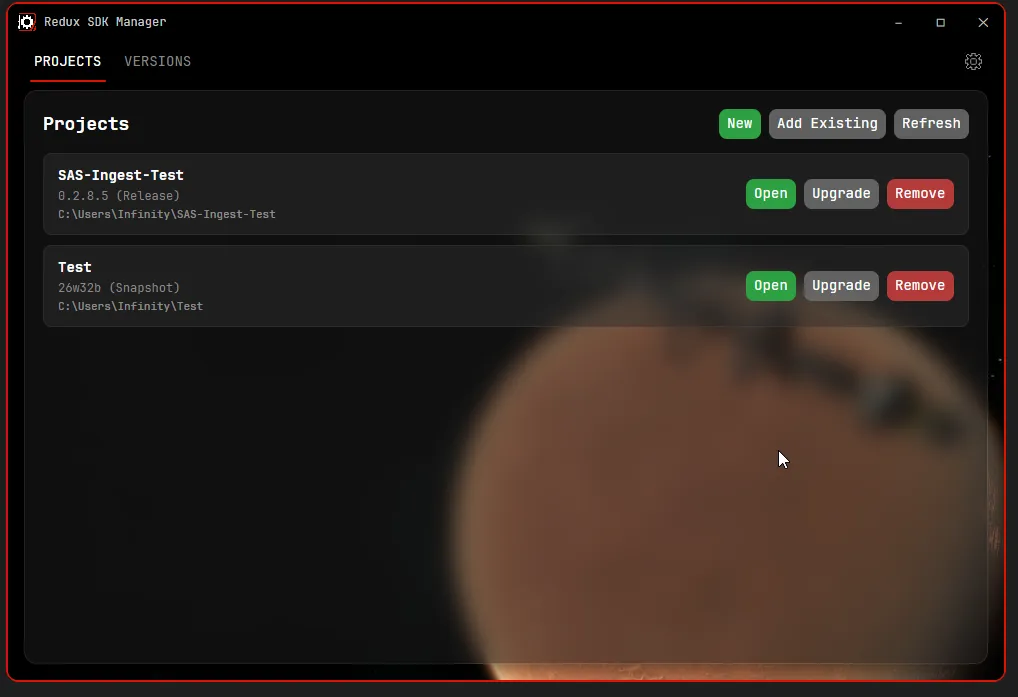
Starting off when opened, you are greeted with a list of your projects (yours obviously will be empty) and buttons for importing/creating new projects easily.

View on launch

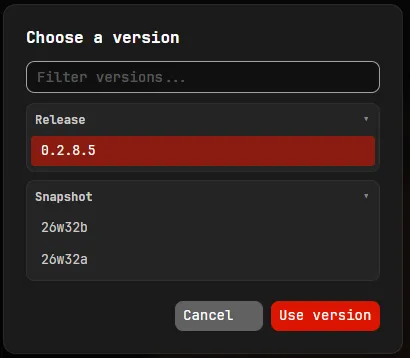
Creating a new project for your mods is quite simple, all you do is press new and select a version (snapshot versions are hidden by default, you can enable them in the settings)

New project menu

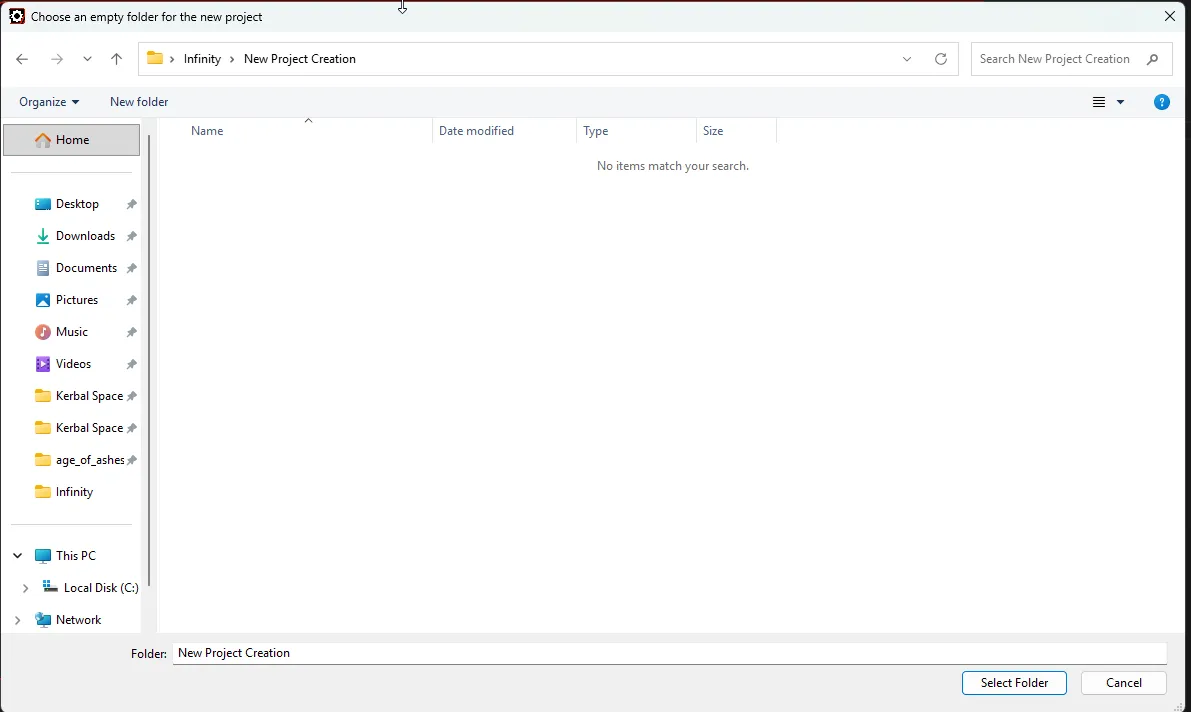
Once you have chosen a version, a folder picker will pop up asking you for an empty folder to create the project in

Folder picker

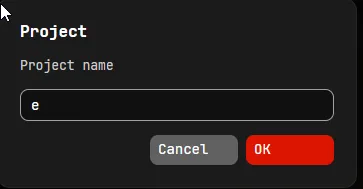
After that, you will be asked to choose a name for your project

Name dialog

And then it may prompt you that it found a KSP2 install, this is for the automated thunderkit importing.

Afterwards, you just have to wait for the setup to complete (it will take like 5-10 minutes) and you should have a usable modding project!

Upgrading a project to a new SDK version is also just as simple, you press the upgrade button and choose the new version you want to target and it will do everything for you.

This program does require you to have git and the unity hub installed, it will detect this on launch and prompt you to install if you don’t have them, but if you want to download them first, here is where you can find them

On first launch you also need to be connected to the internet to fetch the latest SDK versions, subsequent launches and project upgrading does not require a connection however unity will not be able to download the packages without internet connection.

You can download this now at https://github.com/KSP2Redux/Redux-SDK-Manager/releases/latest

Have fun making your mods! :3

Redux Snapshots

Hello!

So we have decided once again to change our versioning scheme - all “beta” releases are now in the “stable” channel in the launcher (which your launcher should have automatically switched to!) and we are going to be repurposing the “beta” channel for a new system… snapshots: (mostly) weekly updates that reflect the latest work we have been doing on KSP2 Redux without you having to wait months and months.

With that said, today we are releasing:

This snapshot contains a lot of the WIP teased features for beta 7, including 2 new moons, an ISRU system, CommNet lines, and a lot more! You can download it right now in the “beta” channel of your launcher, which you can switch to in the settings.

As a note - these snapshots are in heavy development and you should expect bugs. If you do find any, please report them in the game, using Esc -> Report Redux Bug, or Ctrl+B! We’re also looking for feedback on the new features, so please let us know what you think on Discord.

You can find the full changelog for this snapshot on our GitHub.

v0.2.8.3 Beta 6 Hotfix 3

We’ve released a maintenance hotfix for Beta 6.

You can install the update in the Updater application. If you don’t have it yet, download it on the Updater GitHub page. Simply select the newest beta, which is the highest number in the dropdown, and click Install.

This update has no changes compared to Beta 6 Hotfix 2. The only difference is a change in the versioning system. Here’s a comparison of the before and after:

Stock = v0.2.2
Beta 1 -> v0.2.3
Beta 2 -> v0.2.4
Beta 3 -> v0.2.5
Beta 3 Hotfix 1 -> v0.2.5.1
Beta 4 -> v0.2.6
Beta 4 Hotfix 1 -> v0.2.6.1
Beta 5 -> v0.2.7
Beta 5 Hotfix 1 -> v0.2.7.1
Beta 5 Hotfix 2 -> v0.2.7.2
Beta 6 -> v0.2.8
Beta 6 Hotfix 1 -> v0.2.8.1
Beta 6 Hotfix 2 -> v0.2.8.2
Beta 6 Hotfix 3 -> v0.2.8.3

This means that Beta 7 will be numbered as 0.2.9, most likely finishing the Redux beta testing For Science! phase. The first stable release of Foundation will be labeled 0.3 to signify that we’ll have finally fully entered a new stage of development.

The change was made mainly because our betas kept getting bigger and bigger, with more features than we expected, and we felt that they deserved their own version numbers. Not to mention, it’s been kind of confusing why one mod works on beta 6 and another one doesn’t even though they are both for 0.2.3, because there have been 12 different releases with the version number 0.2.3. This renaming should hopefully make more sense.

v0.2.8.2 Beta 6 Hotfix 2

We have just released the second hotfix for the 6th beta of KSP2 Redux, which includes SAS stability improvements for spaceplanes and high dynamic pressure regimes, a number of tracking station, EVA and parts fixes, and various smaller quality-of-life refinements.

To install, use the Redux Updater app, do not download any files from this page manually.

  • Added: Research storage to the SM+ conical crew pod
  • Updated: Stock SRB plumes now scale with atmospheric pressure
  • Updated: Kerbal helmets can only be removed above 0.15 atm of ambient pressure
  • Updated: Settings menu button transition times
  • Updated: Font assets refreshed with proper Chinese fallbacks
  • Updated: Localization updates from nightly translation runs
  • Updated: Credits
  • Removed: “Advanced Editor” toggle and gated module actions (the actions are now always available)
  • Fixed: SAS overshoot when wings or other large lifting surfaces are attached
  • Fixed: SAS overshoot in high dynamic pressure regimes (helps spaceplanes hold attitude at high q)
  • Fixed: SAS not working when using command seats
  • Fixed: Changing vessel type swapping orbital velocity, flight stats and music between vessels
  • Fixed: Pressing Launch leaving the player stuck in the VAB after the loading screen
  • Fixed: “Obstruction” notification appearing when a deployable part breaks
  • Fixed: Renaming a vessel in the tracking station overwriting flag and mission entry names in the list
  • Fixed: EVA parachute in an external seat not using agency colors
  • Fixed: EVA parachute breaking swimming animations when the kerbal gets out of a seat in water
  • Fixed: Aerodynamic stress incorrectly breaking fixed solar panels
  • Fixed: Repacking a parachute on the ground temporarily redeploying the chute
  • Fixed: Bobcat, Cheetah and XS booster shroud lengths
  • Fixed: Shakespeare solid rocket plumes
  • Added: Sticker bounding box display in the VAB
  • Fixed: Stickers causing glitchy reflections on VAB windows
  • Fixed: Science experiment list in the report window now has a separated header
  • Fixed: Small island airport disappearing
  • Fixed: Part sizes in the VAB not being translated

SAS Improvements

Hello all, I thought I’d write a quick blog post summarizing the main changes that we’ve done to SAS in KSP2 Redux, as I think it’d make for an interesting semi-technical overview.

You might think that we could’ve just ripped KSP1’s SAS system into KSP2, but that approach would not have worked, mainly given that the core of the SAS logic in KSP2 is the same algorithm as it is in KSP1.

So then, why is SAS so stable in KSP1 while it is in KSP2, if the core is the same?

The simple answer is, it has to do with how data is fed into the SAS system, and how its outputs are applied to the controls, there has to be differences in there, maybe the data coming in is stale, or maybe the outputs are being applied differently. And this is what guided our changes and our investigations into the differences in the 3 main passes we looked into the SAS system.

When I was first looking into the SAS differences, I started trying to look at how the outputs were applied, and I made the mistaken assumption that the SAS outputs were somehow going through Unity’s input system, and as such the outputs were being smoothed in a way that they weren’t in KSP2, so I tried replicating that input system to see if it improved this. The replication itself just made all the inputs feel sluggish and not fun to play with, and it did not even fix the issues with SAS in the first place, as such these changes were scrapped.

Though, I’m still mentioning this because one improvement did come out of this pass of looking at it, the stability improvements for command pods/probe cores that are the sole part of a vessel. Essentially, what was going on there was that the moment of inertia calculations for a single part were using unity’s own moment of inertia calculations directly, while every other case would apply some form of scaling to the moment of inertia based off of mass, so what I did here was just mirror the mass scaling for this case.

Main Article: SAS, Flight Input, and Precision Mode

For this pass, we looked deeper into how the algorithm worked, and the data that is being fed into it, and there were 3 main things we noticed and subsequently fixed for Beta 5.

  1. Coasting Logic The coasting logic in KSP2 was worse than KSP1 at predicting overshoots.
  2. SAS Update Order The SAS commands were being sent out to the modules after the modules had updated their state for the frame, meaning they’d be applied later than before.
  3. Telemetry Data The telemetry data being fed to the SAS was in the Update loop, meaning during time warp it would not be fresh, leading to stability issues

(More information on these changes can be found in the main article by Munix)

The prior changes still weren’t enough to bring the SAS on par with KSP1’s performance and stability, so we decided to look further into it to see anything else that could be an issue, again focusing on the inputs to the SAS system, and where the outputs are going. By comparing this to KSP1, we found one crucial difference, which will require a bit of explanation.

KSP2 Introduced interfaces for parts that apply torque and other forces to the main rigidbody that were not present in KSP1, in KSP1 all parts did these on their own immediately in their update cycle.

This change was part of what introduced the instability that this pass fixed, as this torque was no longer being applied immediately.

So when was it being applied? During the RigidbodyBehaviour’s OnFixedUpdate method near the beginning of a physics update. The entire relevant loop, including other modules, looking something like

  1. Begin the physics update
  2. Copy Unity’s Rigidbody state into the data used for the simulation
  3. Write back the current torque being provided by ITorque components and other forces to the Unity Rigidbody
  4. Use the data copied in step 1 to update the SAS commands (SAS module)
  5. Use the SAS commands to update part torque output (Parts with ITorque)
  6. End the physics update

As can be seen in the loop, the actual torque output was not being applied until the next frame and the SAS was getting data fed into it that was read before these outputs were applied, so it had stale data and an output lag.

The fix to this was quite simple, we just had to give the RigidbodyBehaviour 2 slots in the update cycle, rather than just one, keeping the early update for reading the data into the simulation state, then applying the outputs later in the cycle when everything has had a chance to update their torque and other physics outputs.

Meaning that the new correct loop in Beta 5 Hotfix 2 looks something like:

  1. Begin the physics update
  2. Copy Unity’s Rigidbody state into the data used for the simulation
  3. Use the data copied in step 1 to update the SAS commands (SAS module)
  4. Use the SAS commands to update part torque output (Parts with ITorque)
  5. Write back the current torque being provided by ITorque components and other forces to the Unity Rigidbody
  6. End the physics update