Skip to content

munix

29 posts by munix

Snapshot 26w32b

Hey all! This second snapshot for this week contains numerous bug fixes for the previous snapshot, in general, physics stability should be greatly improved, and you will all actually be able to see the beauty that is Beyl!

It also contains a few new QoL improvements and another new tutorial.

Thank you to all of you who have submitted bug reports, it helps us very much. If you have a previous snapshot installed, please update to the new one, new bug reports made on the previous version will be disregarded as outdated.

As a reminder - snapshot versions are very much in development and will have bugs, do not play your main saves on them, and please do report the bugs using the in-game bug reporter (Esc -> Report Redux Bug, or pressing Ctrl+B anywhere in the game).

Changelog is available on our GitHub.

v0.2.8.4 Beta 6 Hotfix 4

We’ve just released a minor update for Beta 6. As we continue working on the massive ECS rewrites for beta 7, we wanted to address some of the issues in beta 6 and give you just a little bit of new content: SM+ heat shield, procedural body flaps, fixed KSP1 engine plumes, improved stickers, and more.

You can install the update in the Updater application (If you don’t have it yet, download on the Updater GitHub page). - Simply select the newest beta (highest number) in the dropdown and click Install/Update.

  • Added: SM+ heat shield
  • Added: SM, MD and LG procedural body flaps
  • Updated: SM+ command pod aerodynamics
  • Added: Toggle for hiding sticker placement geometry in the VAB
  • Updated: Stickers now can cover either a single part or all adjacent parts
  • Fixed: Stickers not working after loading a saved craft
  • Fixed: Sticker projection target culling
  • Fixed: KSP1-imported engine plume materials rendering incorrectly
  • Fixed: KSP1-imported engine plumes appearing detached from nozzles and incorrectly sized
  • Updated: KSP1-imported multi-nozzle engines now get separate plumes for each nozzle
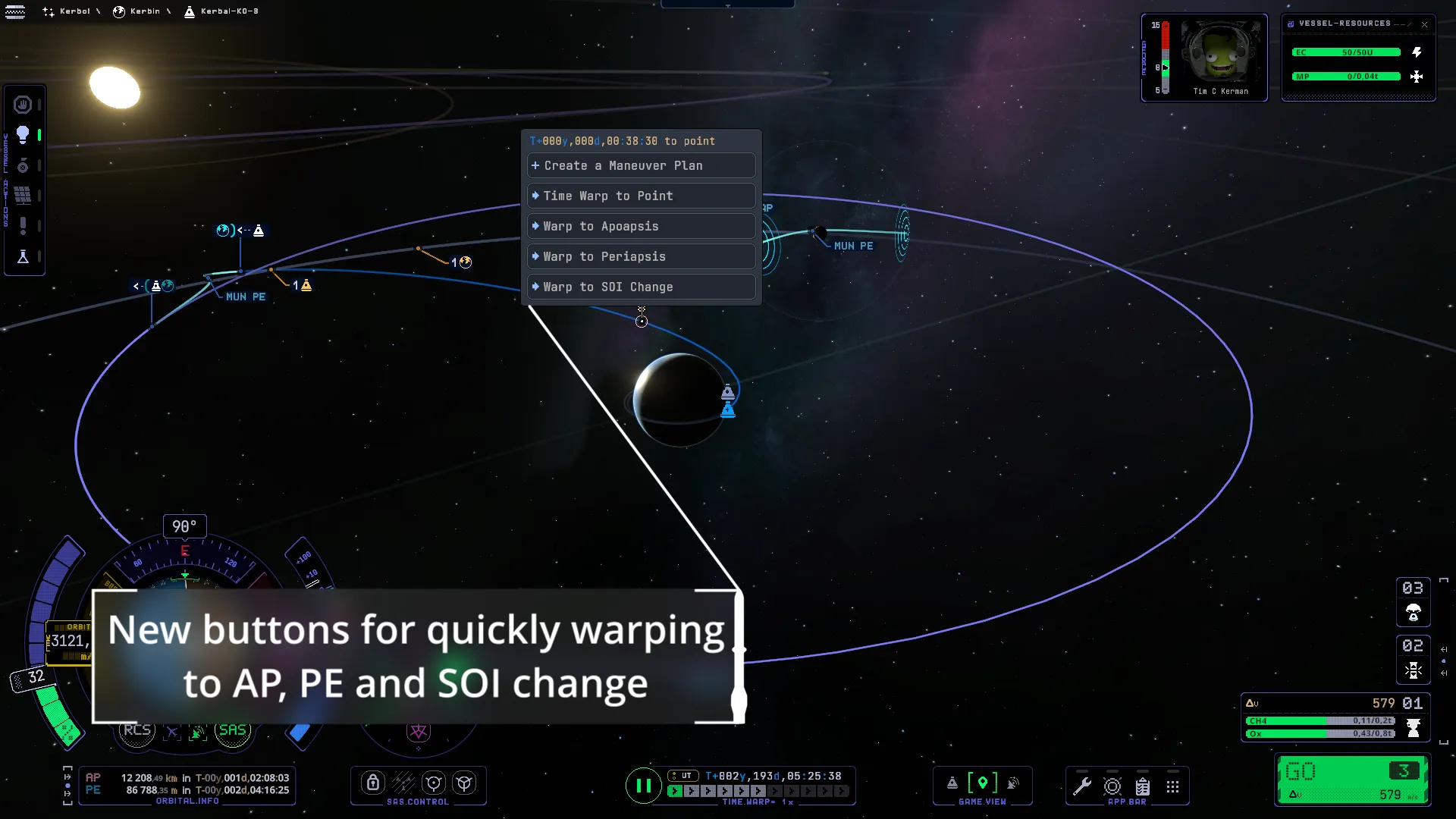
  • Fixed: Maneuver popup disappearing when the cursor intersects another part of the orbit
  • Updated: Maneuver burn patch colors are clearer

Redux Q&A Livestream

Redux Q&A Livestream announcement

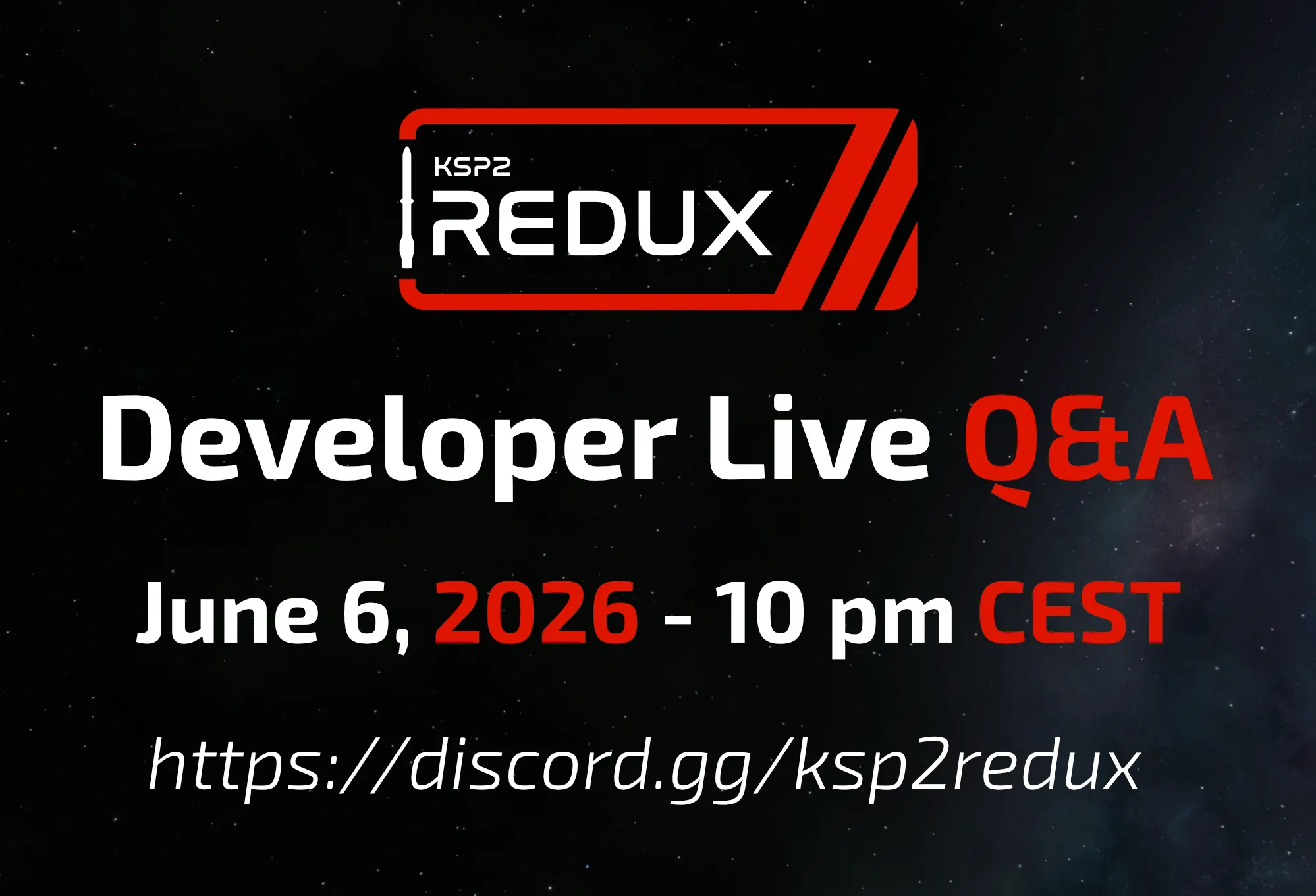
The first KSP2 Redux Developer Live Q&A will take place on June 06, 2026 at 10pm CEST!

We have received many great questions regarding our project, we’ll try to answer all of them to the best of our ability. If you have additional questions during the Q&A please don’t hesitate to ask them, we’ll do our best to answer them.

The Q&A will be recorded and uploaded to the KSP2 Redux YouTube channel, by participating in the Q&A you consent to potentially appear on the video.

The Q&A will take place in a dedicated voice channel in the KSP2 Redux Discord server: https://discord.gg/ksp2redux

Beta 7 Parts Preview

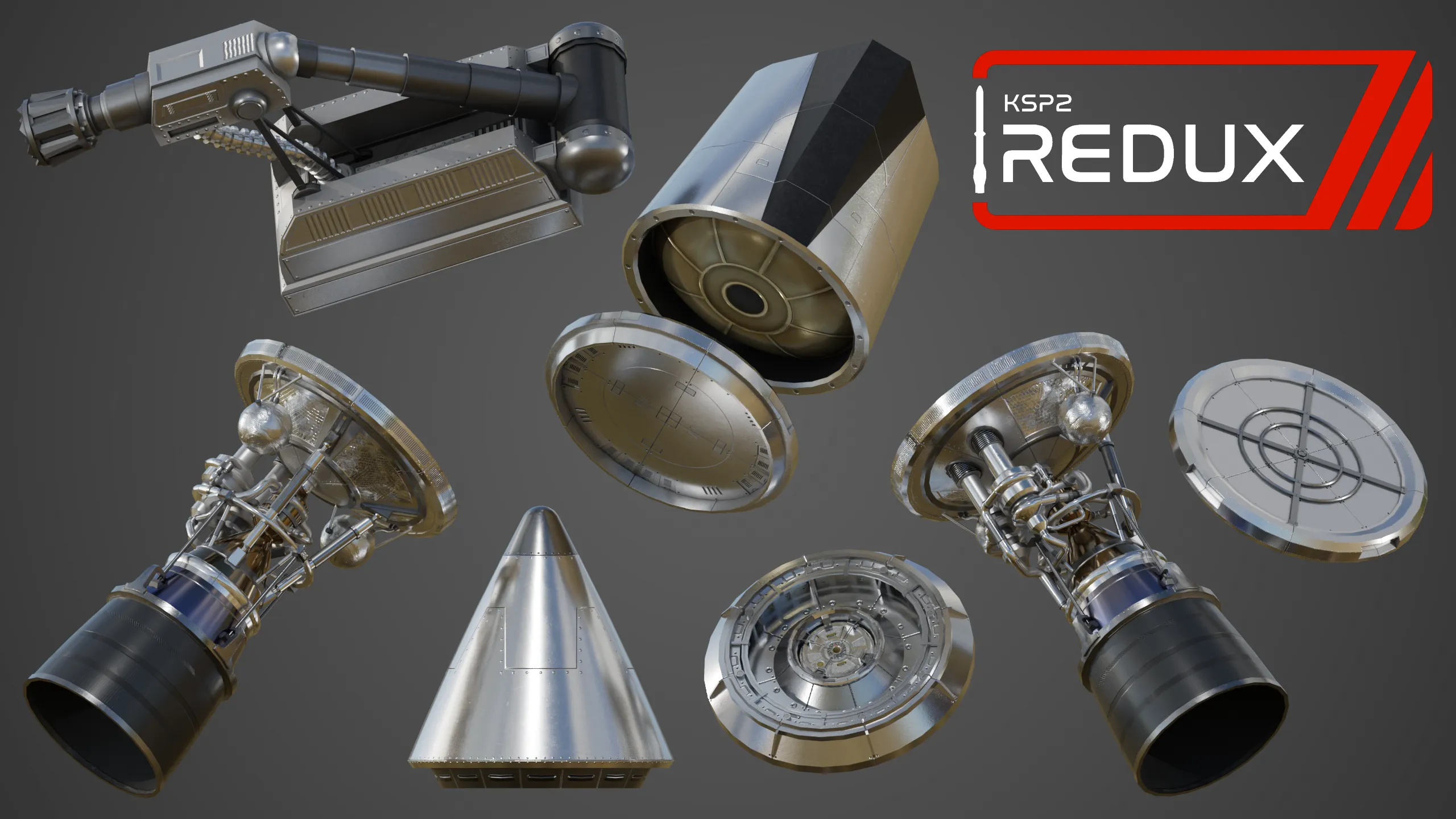
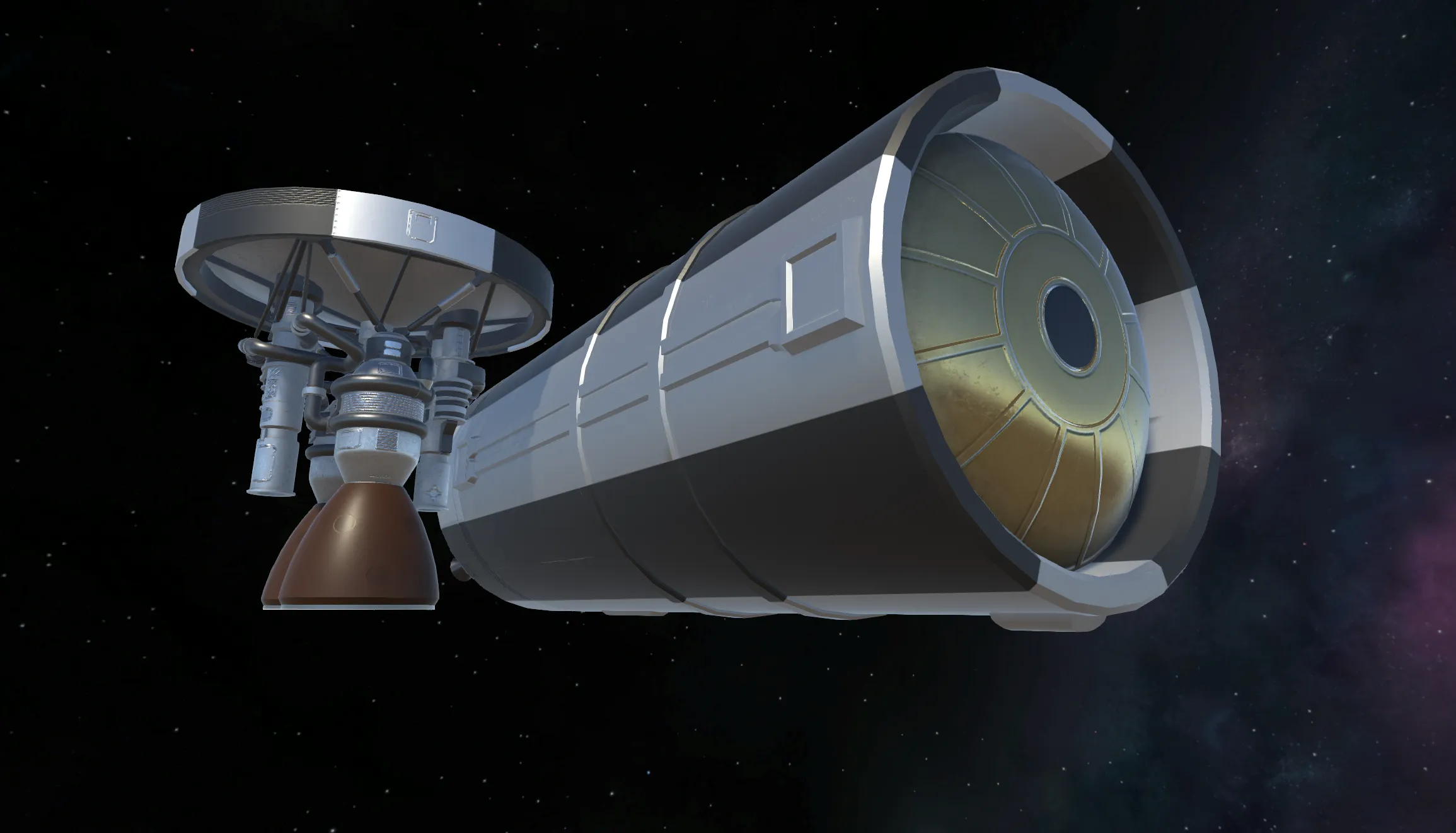
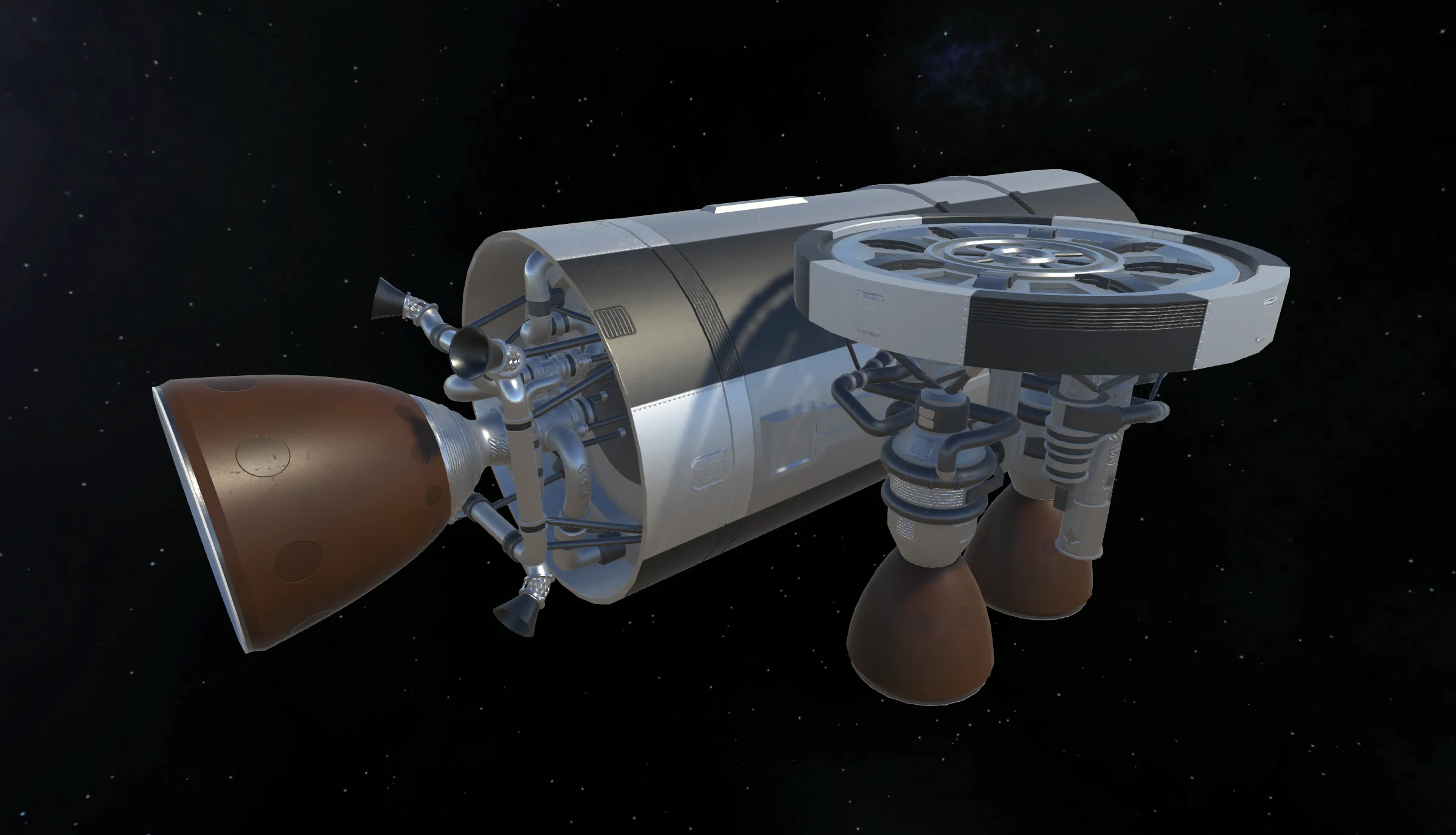
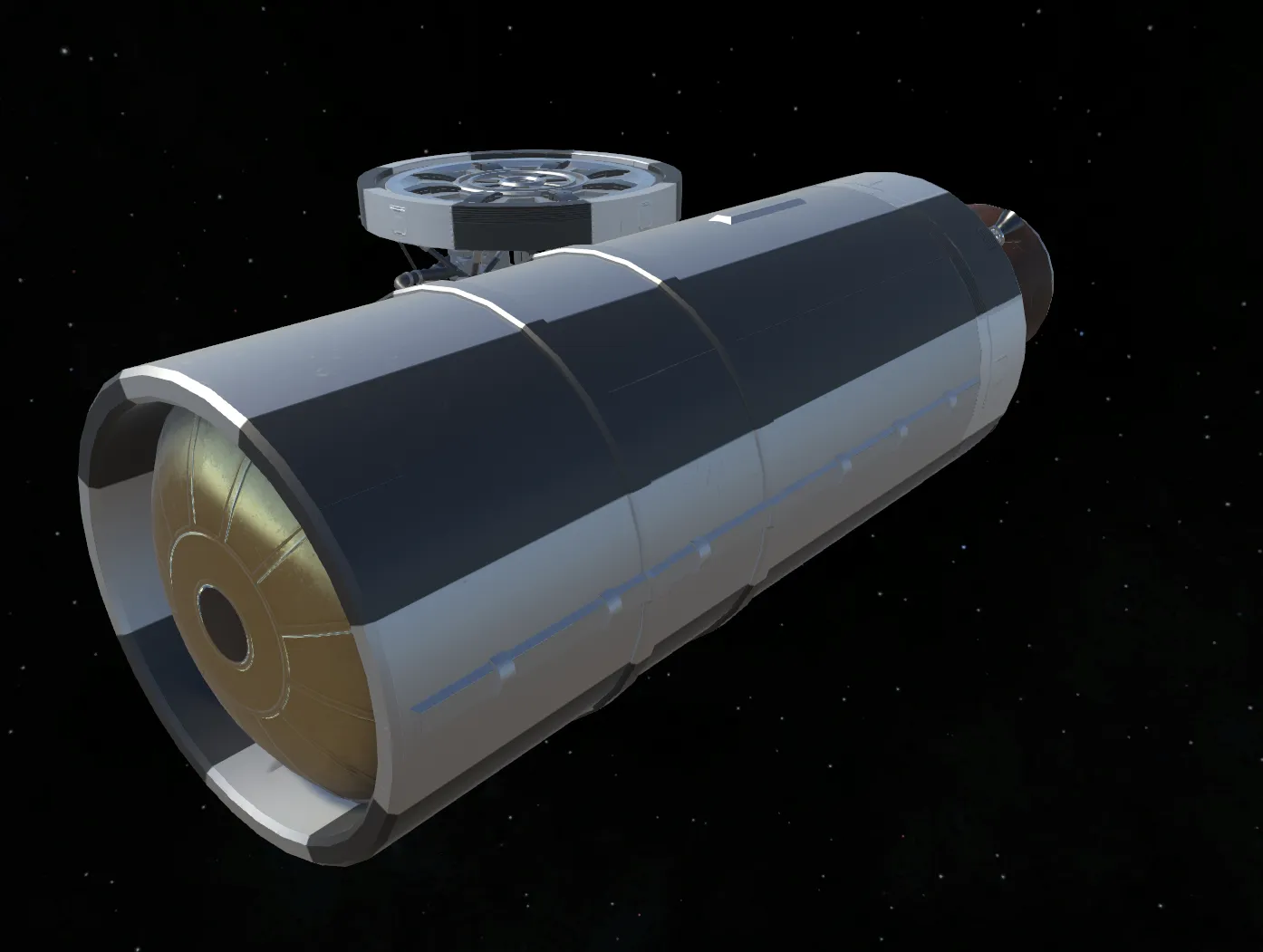
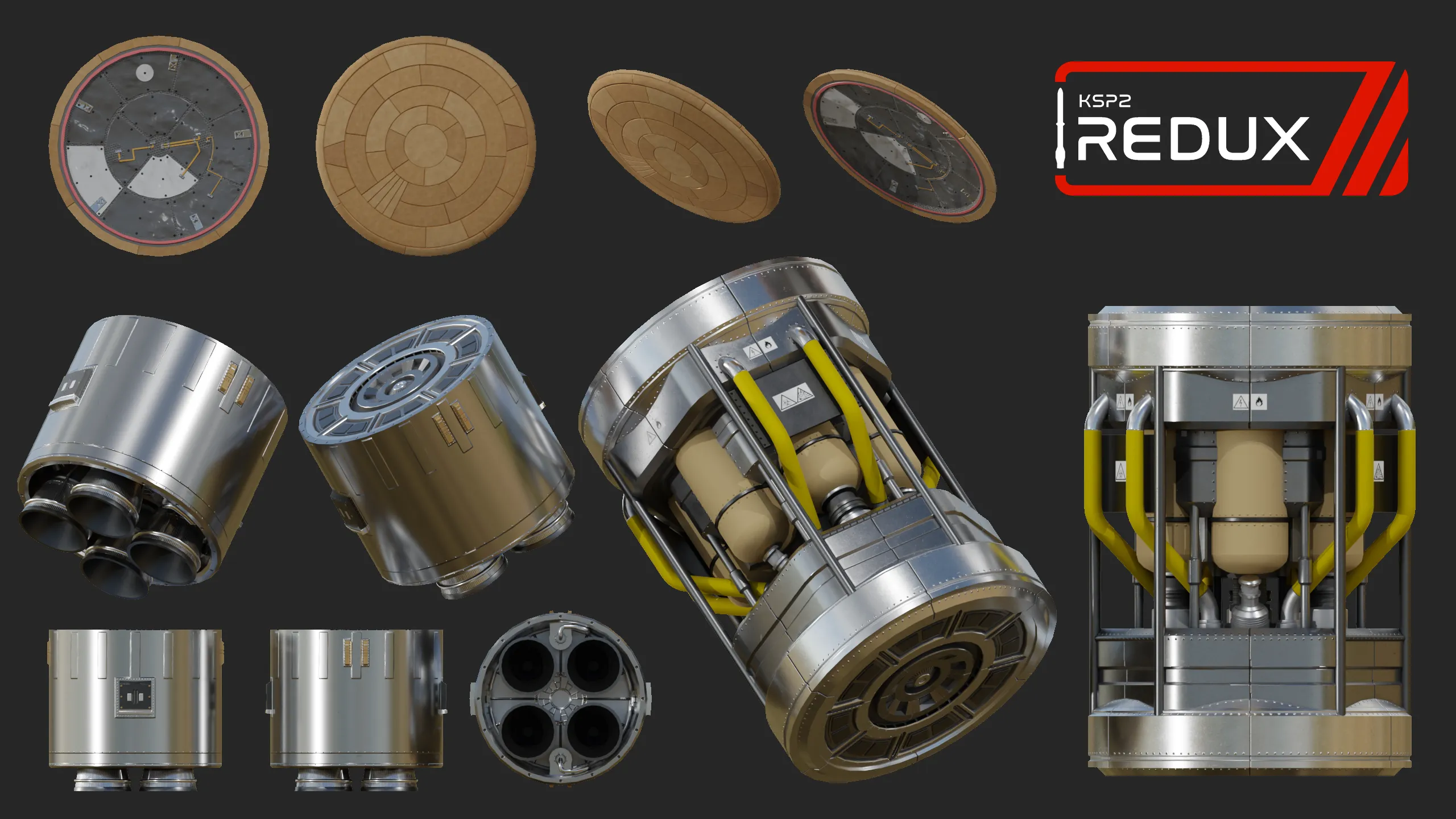
Here’s a preview of some upcoming parts for beta 7: a SM+ heat shield, launcher engine, deep space engine, nose cone, Mk2 adapter, engine plate and docking port, and a MD drill and resource converter for ISRU.

Beta 7 parts preview 1

Beta 7 parts preview 2

Redux Q&A

Hello everyone! We’ve recently been getting a lot of questions about Redux - what new things you can expect in the future, how the roadmap features are going to work, and much more, so we have decided to hold a little Q&A session livestream on our Discord server (https://discord.gg/ksp2redux).

Specific date and time are going to be announced later, but you can generally expect it to take place in ~2 weeks at around 8 or 9pm UTC in order to make it possible for players in most time zones to attend, and we will also record the session and put it up on our YouTube channel and website for anyone who missed it.

You can submit your questions in this form: https://forms.gle/r7VC6dWF9mqG4LJi7. First though, please read through https://ksp2redux.org/roadmap to see if your question is already answered there.

While we will try to also answer some questions on the fly, submitted questions will have higher priority.

Please, do not spam a ton of questions into one form - if you want to ask multiple unrelated things, you can submit the form multiple times, though we will try to be fair and answer as many people’s questions as possible, rather than spend an hour reading a single person’s questions, which I hope is understandable.

v0.2.8 Beta 6

We have just released the 6th beta of KSP2 Redux, which adds a large batch of new parts including SM+ decouplers, boosters, command pod, probe cores, cameras and decals, EVA parachutes, vessel categories and map icons, KSP1-style orbital camera behavior, expanded maneuver node controls, campaign flag changing, supersampling, major SDK tooling improvements, a Lua-powered Patch Manager rewrite, and as always, a ton of bugfixes and quality-of-life improvements.

To install, use the Redux Updater app, do not download any files from this page manually.

  • Added: Inline SM+ stack decoupler
  • Added: Inline SM+ stack separator
  • Added: SM+ solid rocket booster
  • Added: XS “Shrimp” solid rocket booster
  • Added: XS “Mantis” solid rocket booster
  • Added: SM+ conical crew pod
  • Added: SM+ inline probe core
  • Added: SM+ octagonal probe core
  • Added: Radial and downward camera parts
  • Added: Sticker decal part
  • Added: New camera tech node and updated SM+ tech tree placement
  • Updated: SM+ fuel tank and adapter models and textures
  • Updated: Bobcat and Cheetah engine models and textures
  • Updated: Bobcat and Cheetah engines now have shrouds
  • Updated: Bobcat and Cheetah engines now have audio
  • Updated: All Redux parts now have reentry meshes
  • Updated: Fairings now have an optional interstage node
  • Added: EVA parachutes, including gliding, agency colors, and external seat support
  • Added: Aerodynamic stress now breaks deployed parts
  • Added: Vessel categories and icons for map/tracking station identity
  • Added: KSP1-style celestial (orbital) camera behavior
  • Added: Maneuver nodes can be added and edited while paused
  • Added: Scroll wheel precision input for maneuver gizmos
  • Added: Notifications when toggling normal and precision flight input modes
  • Added: Notifications when trim is applied or reset
  • Updated: Time warp limits are no longer applied in safe orbits
  • Updated: Physics warp status text and color now change when physics warp is enabled
  • Updated: Flags planted before updating the campaign flag now retain their original flag design
  • Added: Helmet toggling is available on oxygen worlds and in command pods
  • Added: Stored research reports are now shown in the flight report window
  • Updated: Lowered minimum science rewards difficulty option to 10%
  • Added: Gateway tier 1 mission triumph video
  • Added: You can now change the campaign flag in the Settings menu
  • Added: “Advanced Editor” toggle in the Part Manager and Settings menu, with advanced part module actions moved behind it
  • Added: “Remove from symmetry” advanced part action
  • Added: “Add to Staging” toggle for docking ports
  • Added: “Preview Deployment” action for science parts in the VAB
  • Added: Mouse wheel scrolling in the R&D Center
  • Added: Color Manager tooltips
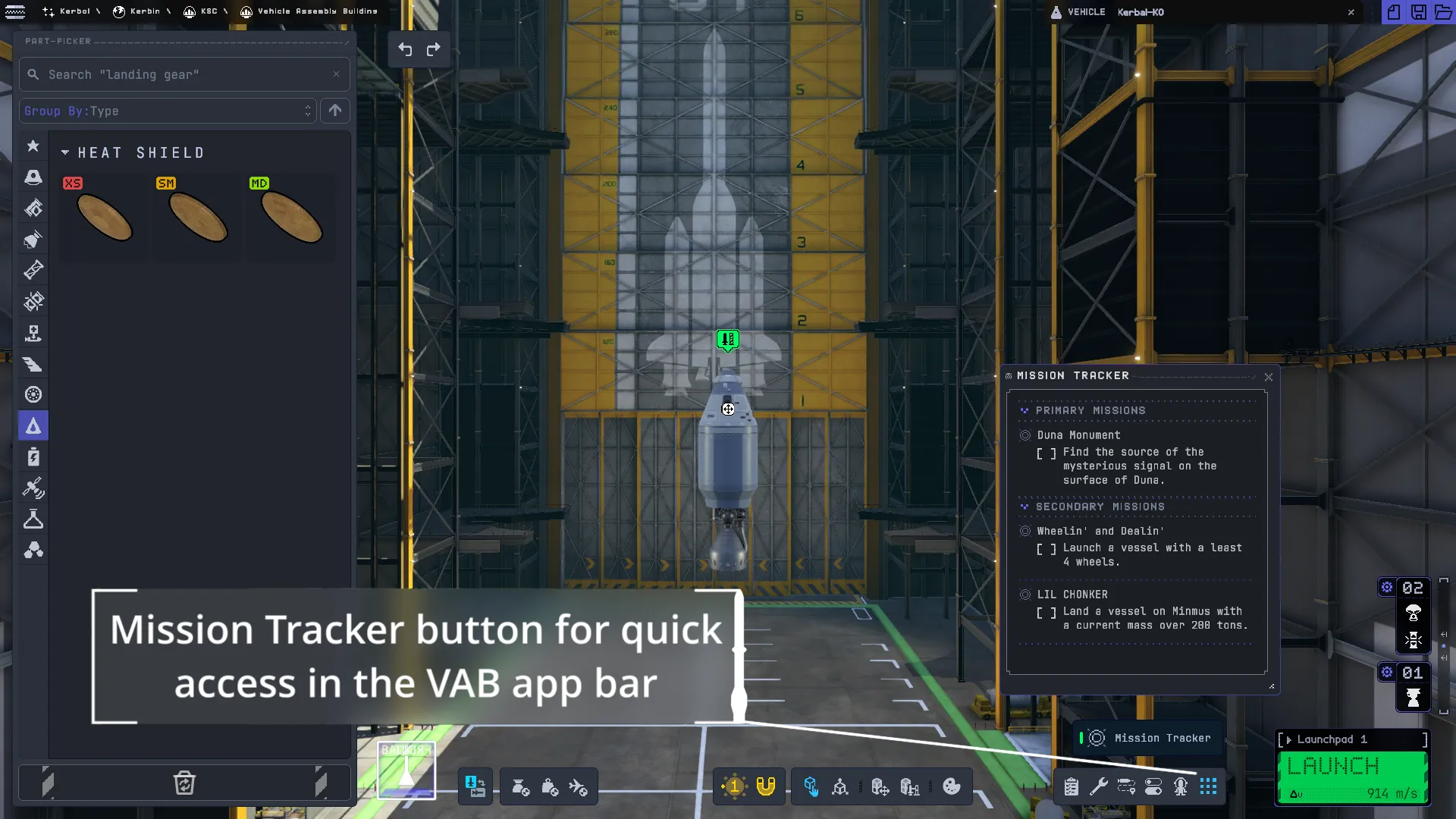
  • Updated: Mission Tracker button moved to the main VAB app bar
  • Updated: Bug Reporter is now localized
  • Added: Supersampling setting for flight and VAB (improves anti-aliasing and visual quality at the cost of performance)
  • Fixed: VAB symmetry preview ghosts
  • Fixed: Radially attached symmetry parts creating empty stages
  • Fixed: Improved performance when placing parts (caused by staging updates during VAB change processing)
  • Fixed: Stage reordering bug
  • Fixed: Symmetry issues when docking vessels
  • Fixed: Vessel combination is now atomic during docking
  • Fixed: Symmetry interfering with action group deployment
  • Fixed: Copying a part not copying its resources
  • Fixed: Procedural wings not recalculating mass in the VAB
  • Fixed: Undo reverting the VAB camera to the root part
  • Fixed: VAB part finalization/tracking null references during loading
  • Fixed: Fairing construction being laggy in snap mode
  • Fixed: Fairing construction snapping outside snap mode
  • Fixed: Fairing snapping to the wrong diameter when adding a new segment
  • Fixed: Fairing material issues with transparent base colors
  • Fixed: Strut configurations causing launch explosions or VAB crashes
  • Fixed: Radiator extension and activation are now separate toggles
  • Fixed: Thermal tab missing from the Action Group Manager
  • Fixed: Color Manager preset bugs
  • Fixed: Docking ports, decouplers and abort action staging behavior in several edge cases
  • Fixed: Kerbal and sample container animations getting out of sync during time warp
  • Fixed: Kerbal ground checks causing null references
  • Fixed: SAS/telemetry edge cases and wheel torque axis mismatch on rotated multi-wheel vessels
  • Fixed: Out-of-fuel maneuver duration calculation
  • Fixed: Maneuver nodes desyncing after thrust limiter changes
  • Fixed: Map raycasts when transform syncing is needed
  • Fixed: KSC entry breaking in the tracking station list after renaming vessels
  • Fixed: Decoupling/undocking assigning focus to the debris part via heuristic
  • Fixed: Cheat menu null reference during docking with the rendezvous menu open
  • Fixed: Kerbol shining through Kerbin
  • Fixed: Jool and Eve clouds being too bright
  • Fixed: Discord Rich Presence timer resetting when state changes
  • Fixed: Discord Rich Presence errors before a vessel is fully initialized
  • Fixed: Discord Rich Presence does not update when recovering a vessel
  • Fixed: Vessel validity checks in simulation
  • Fixed: Disposed removed portrait culling groups
  • Fixed: Thermal system and heat shield tuning issues
  • Fixed: Parachute deployment forecast making parachutes deploy too early and bypassing the Risky state
  • Fixed: Active radiators disabling cooler/device state incorrectly
  • Fixed: Incorrect lifetime checks for Module_Color
  • Fixed: Deployable, fairing, engine, RCS, reaction wheel, wheel and science module edge cases
  • Fixed: Bobcat and Cheetah engine setup issues
  • Fixed: “Mun or Bust” completing at the wrong apoapsis
  • Fixed: Pol’s Midlands experiments not being localized
  • Fixed: Crashing into Laythe ocean not being detected as a crash for mission objectives
  • Fixed: UI locks getting stuck after windows close
  • Fixed: UITK tooltip positioning and added more tooltip options
  • Fixed: Flag Site UI z-index, button localization and title styling
  • Fixed: Statistics module preventing revert to VAB
  • Fixed: Statistics manager errors when loading non-campaign saves
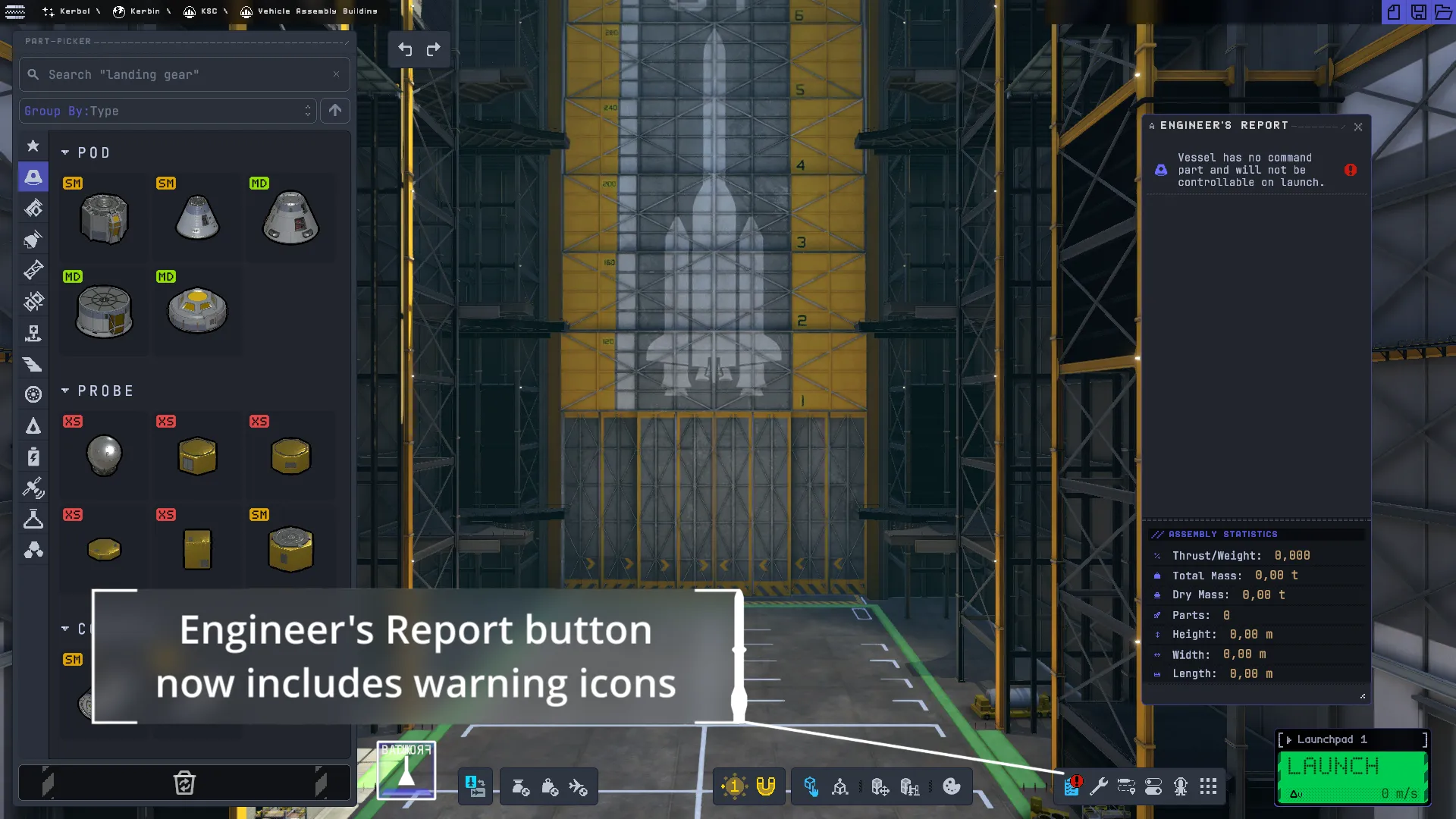
  • Fixed: Engineer Report icons now load asynchronously and cache sprites
  • Fixed: Bug Reporter localization coverage
  • Fixed: Chinese, Japanese and Korean font replacement null reference safeguards
  • Fixed: Various common null references and loading-state errors
  • Fixed: Color manager title spacing issues
  • Fixed: Color manager button text overflowing in some languages
  • Added: Part icon generation editor tooling including presets and category defaults
  • Added: Drag cube generation and visualization
  • Added: Reentry mesh generation and visualization
  • Added: Improved and simplified Plume editor (one-click VFX object gathering based on sub-plume hints)
  • Added: Part size registry and revised legacy part-size handling
  • Added: Fairing shroud preview in the editor
  • Added: Paintable shader custom editor
  • Added: Interaction presets, airlock and ladder interactions
  • Added: Unity Audio setup for modding and part audio preset authoring tools
  • Updated: Debug Tools bookmarks, including reentry testing bookmarks
  • Updated: Patch Manager rewritten to use Lua scripting
  • Added: Fluent Patch Manager APIs and improved diagnostics
  • Added: Generated Lua stubs for IntelliSense/autocompletion support
  • Visual Studio Code extension for Patch Manager: https://marketplace.visualstudio.com/items?itemName=infinity-sys.pm-lua
  • Added: Patch passes and config values for patches
  • Added: Additional Lua selection helpers and V-SwiFT stubs
  • Added: Audio preset patching support
  • Added: Per-part PAM hiding flags
  • Updated: Improved patch ordering, caching, cache invalidation and summary/error reporting
  • Updated: Reduced Patch Manager overhead by removing extra JSON round trips and improving hot paths
  • Fixed: Improved Patch Manager performance and reduced unnecessary allocations
  • Added: REPL support to the SpaceWarp console
  • Updated: Reworked SpaceWarp console layout and styles
  • Updated: Config registration now uses the new config system across Redux-Lib and SpaceWarp
  • Added: Internal-only config value support
  • Updated: Variant swaps are now tracked in VAB history
  • Updated: Material and variant handling for Shakespeare/imported parts
  • Fixed: V-SwiFT swapping parts back to the default variant
  • Fixed: Flight-state transform activation
  • Fixed: V-SwiFT VAB attach-node and Patch Manager integration issues
  • Added: AppShell control for unified window layout and theming
  • Added: C# dialog API and updated dialog styles
  • Added: Window resizing, draggable handle support and better game-input blocking
  • Added: Tooltip localization and automatic text resizing support
  • Added: Uppercase localization converter and converter API updates
  • Added: Moved shared Redux UI components into UitkForKsp2 for modders
  • Added: Category list is now scrollable when overflowing
  • Added: Attachment node symmetry support
  • Updated: Improved KSP1 part import performance during loading
  • Updated: Improved KSP1 part performance in the VAB
  • Updated: Improved attachment node size and bulkhead size handling
  • Updated: Cached KSP1 textures by resolved file name
  • Updated: Faster texture loading/compression paths and reduced VRAM pressure
  • Updated: Improved plume scaling
  • Fixed: Reduced large allocations from file reads
  • Fixed: Part variants resetting
  • Fixed: Imported part resource lookup and user data module adaptation issues
  • Patch Manager scripting was rewritten to use Lua. All existing patches will need to be rewritten in Lua, but the new system is more powerful and easier to learn.
  • Config registration was moved to the newer Redux/SpaceWarp config system. Mods using low-level config registration APIs may need to update.
  • UitkForKsp2 package names, namespaces, assemblies and theme structure were reorganized. Mods directly referencing old control namespaces or theme paths may need updates.
  • Part size handling was revamped. Mods or patches relying on old legacy part sizes should update their part metadata.

Redux Is Looking for More Volunteers

As we continue developing Redux and get closer and closer to the stable release, the amount of work needed to keep moving forward is increasing. We have very high ambitions, from continuing to fix and improve the base game to building out major systems like colonies, improving the visuals, adding lots of new parts, and also making the game accessible to more players.

Because of that, we are looking for more volunteers interested in helping with one or more of the following areas:

  • Unity and C# development: working on the game’s core systems, fixing bugs, improving performance, converting systems to ECS, and designing and implementing larger features such as colonies and other major gameplay systems.
  • Graphics programming and technical art: helping with the ongoing Built-in Render Pipeline to URP port, recreating and improving the game’s shaders, and working on things like new part shaders, reentry VFX, engine plumes, and other rendering, lighting and post-processing improvements.
  • 3D art: creating new vessel and colony part models and textures, working on new celestial bodies, and helping define the asset pipeline and art guidelines we will use going forward.
  • 2D art and animation: animating new in-game tutorial videos, mission animations, possible promotional material and YouTube videos, and concept art.
  • Graphic and web design: improving the website, preparing graphics for dev updates, and creating visuals and infographics for social media posts and other community-facing material.
  • Video editing: editing feature highlight and showcase videos
  • Translation: mainly Chinese (Traditional), Italian, Japanese, Korean, Portuguese (Brazil), and Spanish.

You do not need to be able to contribute all the time. This is still a volunteer project, and we know everyone has their own life, work, studies, etc. What helps the most is people who can communicate clearly and are passionate about the project.

If you are interested, please reach out to @.munix or @safarte on Discord. When you message us, please include a few references of your previous work, depending on what you want to help with. For example, this can be GitHub repositories or code samples, screenshots or renders of 3D models, shader work, animations, design work, etc. (You don’t need to provide references for translation or writing work, but if you have previous experience in those areas, feel free to share that as well.)

We cannot promise that every person who reaches out will immediately have something assigned to them, but if you have experience in one of these areas and want to help finish what KSP2 started, please reach out to us.

v0.2.7.2 Beta 5 Hotfix 2

We have just released the second hotfix for the 5th beta of KSP2 Redux, which includes a bunch of minor bug fixes as well as further improvements to SAS stability.

You can install the update in the Updater application (If you don’t have it yet, download on the Updater GitHub page). - Simply select the newest beta (highest number) in the dropdown and click Install.

You can find the full changelog on the Redux GitHub page or on Discord: https://discord.com/channels/1078696971088433153/1444156522127954064/1498461514145730750.

v0.2.7.1 Beta 5 Hotfix 1

We have just released a hotfix for the 5th beta of KSP2 Redux, which includes a fix for issues with Chinese, Japanese and Korean, Color Manager presets disappearing, adds 3 new missions, and a couple more bug fixes.

You can install the update in the Updater application (If you don’t have it yet, download on the Updater GitHub page). - Simply select the newest beta (highest number) in the dropdown and click Install.

You can find the full changelog on the Redux GitHub page or here on Discord: https://discord.com/channels/1078696971088433153/1444156522127954064/1497756315089637488.

v0.2.7 Beta 5

We have just released the 5th beta of KSP2 Redux, which includes an upgrade of the game’s Unity version from 6000.3.10f1 to 6000.4.1f1, an early release of the modding SDK, an experimental KSP1 part mod loader, first few SM+ size (1.875m) parts, support for Discord rich presence, game statistics tracking, custom flags, improved SAS and flight controls, and as always, a ton of bugfixes.

You can download the new Updater application on the Updater GitHub page. This application will now be the primary way of installing, updating and uninstalling KSP2 Redux. New installation instructions are available on the Redux GitHub page.

You will need a stock install of KSP2 0.2.2 for the initial install (meaning you CANNOT upgrade from beta 4), but this won’t be the case for any future updates, those will just be installed on top of beta 5.

You can find the full changelog on the Redux GitHub page.

Along with this new release and the (at this point almost mythical) Updater/Launcher application, we have also been working on the new website: https://ksp2redux.org, as well as on updating the modding SDK and template project for Unity 6+. You can find the instructions to set up the modding environment here: https://docs.rendezvous.dev/s/0a4a3e31-0b40-48e0-bd81-e14856f80d3d/doc/getting-started-with-modding-ea0cMbSQ3V.

Custom flags can be added to the game by creating a new folder inside your Redux install’s mods folder. You can call this anything, e.g. MyMod. Then, inside it, create a flags folder, and put your flag files in (ideally PNG). On the next game launch, you should see the flags in the campaign creation menu.

KSP1 part mod import can be tested by creating a folder called KSP1 inside mods, and then putting KSP1 mod folders inside it (generally, whatever folder would go into GameData in KSP1 will go into the KSP1 folder). Please, keep in mind that this is a very experimental initial version of this feature, and it is meant to serve as more of just a tech demo for the future KSP1 mod porting Unity tools that we are working on, meaning we won’t be providing support for mods that are not working properly or breaking the game.

Project Shakespeare

Everyone, meet The Secret Feature™, or as we like to call it, Project Shakespeare (to honor the never-implemented, never-explained mod type called Shakespeare that can be found in the stock game’s code).

This is a very basic KSP1 part-only mod loader with currently mostly functional command modules, deployables and animations, decouplers, fuel tanks, engines, gimbals, plumes, engine mode switching, variant switching, and more. It includes support for some popular modded part modules as well, such as B9 part switching and animated decouplers.

There’s a lot that doesn’t work properly yet, such as WIP control surfaces (that’s why I didn’t put on the grid fins yet, as they result in a funny, although very motion sickness-inducing death spin), or RCS thrusters. Engine plumes are also just using the default KSP2 methalox plume attached in place of where the KSP1/Waterfall plume would be, and for some parts (e.g. the booster fuel tank in the video) the textures don’t look right, either.

IMPORTANT: this is NOT going to be a “plug-and-play” feature where you just copy all 300 of your KSP1 mods into the Redux folder and can play without any issues. It is extremely limited with a small selection of part modules and types that it can handle, it’s only able to do handle basic Module Manager patching logic in order to support things like engine plumes defined in MM patches instead of the base .cfg file (which is a pattern often used in KSP1 mods), and also, it’s EXTREMELY slow. I’ve seen loading times of like 2-3 minutes with 3 part mods, and that will possibly get even slower as I iterate on it more and introduce more module translations and other functionality (though it can be somewhat mitigated by the caching of translated parts and modules).

The purpose of this feature is to be a proof-of-concept, technical demo that lets your imagination run wild with what could be possible if your favorite KSP1 mod authors ported their mods for KSP2 for real, and it also serves as a technical showcase of what sorts of authoring and conversion tools we can and will provide to KSP1 mod developers to help them with the process of converting their mods over to KSP2 Redux.

Note: this will not be a part of beta 5, you’ll need to wait a bit longer for us to polish this more.

Mods used in the showcase are Tundra Exploration and Kerbal Reusability Expansion, some of my favorite KSP1 mods.

SAS, Flight Input, and Precision Mode

Decided to take a short break from Redux (working on the rendering pipeline) and, for a change, work a bit on Redux. This time, I looked at a few flight-control related things:

  1. SAS oscillations
  2. Flight input
  3. Precision mode

The main one is SAS. In stock KSP2, SAS has a tendency to oscillate a lot more than it did in KSP1, especially on vessels with a lot of control authority, meaning that rockets and planes can sometimes wobble back and forth instead of smoothly settling in the target direction. This gets especially noticeable under physics warp.

After comparing the KSP1 and KSP2 implementations, the PID controller used for SAS is basically the same, and not really an issue. The bigger differences are in the surrounding logic: how SAS estimates when it should stop pushing, when the flight control state gets updated, and how often the telemetry system updates data that SAS needs.

The first fix was related to the “coasting” logic. Basically, SAS needs to predict when the vessel is already rotating fast enough that it should stop applying torque and let itself coast into the target direction. KSP2 had a small difference from KSP1 here that made it worse at predicting overshoot, so it would often push for too long, overshoot, correct back, overshoot again, and so on. Fixing the formula here to match KSP1 helped with making vessels settle down instead of wobbling forever.

The second fix was about timing. Gimbals, control surfaces, reaction wheels, RCS, etc. all consume the flight control state during FixedUpdate, and with this change, SAS now updates that control state earlier in the fixed update order. That means parts are working with fresher SAS commands, instead of commands that are slightly behind what the vessel is currently doing.

There was also a fun little physics warp rabbit hole. SAS depends on telemetry data, but that was normally refreshed through the regular Update path (there’s always 1 Update per frame, so the frequency changes with FPS). Under physics warp, especially at lower FPS, you can get multiple FixedUpdate ticks between regular Updates (FixedUpdate is, as the name suggests, fixed - by default at 50 per second - and it scales with time warp speed), meaning SAS ends up acting on stale telemetry data. This was fixed by updating the necessary telemetry data on FixedUpdate instead of Update.

Outside of SAS, I also tweaked the manual flight inputs. Stock KSP2 input is very instant, which can feel a bit twitchy with keyboard controls. The updated version is closer to KSP1, where pitch/yaw/roll ramp up and decay back down instead of snapping immediately to full input or zero.

Precision mode is completely reworked. In stock KSP2, it simply limited the control authority of user inputs to 10% of the maximum. Now it also acts closer to the KSP1 version, where you can still go from -100% to 100% of the input, but the buildup and decay are much slower, meaning it’s now much easier to make finer inputs, while still letting you go all the way to the max if you keep holding the key.

All in all, these changes should make vessel controls and SAS feel a lot better, though it’s obviously not an all-powerful fix that will get rid of all issues.

In the attached video, you can see all of these changes: SAS on a rocket with very high control authority at 1x, 2x, and 4x physics warp, SAS on a plane, and then the updated normal and precision input behavior (with SAS disabled).
Early URP Port Devlog

I thought I’d make a short devlog to show off what I’ve been working on the past couple of days.

To give a bit of context, KSP2 uses the Built-in Render Pipeline. In Unity, a render pipeline is the sequence of GPU steps (culling, batching, lighting, shading, post-processing, …) that turns scene data into pixels each frame. The original, old Built-in Render Pipeline is a hardcoded implementation of that sequence, where you can tweak the parameters, but not really the logic itself. Meanwhile, the newer Scriptable Render Pipeline (which is an umbrella term for both the Universal Render Pipeline and the High Definition Render Pipeline) exposes that logic in C#, so that you can define exactly how objects are drawn, how lighting is evaluated, how render passes are structured, etc.

Now, the issue is that the BRP is going to be deprecated in Unity 6.5, and completely removed possibly as early as Unity 6.8, which coincidentally is also the stable release of CoreCLR support (which we really, really, really want for the potential crazy performance boost and the access to modern C#). Generally, we also want to be able to keep upgrading the game and not be hard stuck on a specific Unity version.

So, in order to solve this issue, we’ll need to eventually port the game from BRP to URP or HDRP. While HDRP would make the most sense with its current feature set compared to URP, Unity just recently announced that it will no longer be developed, and that URP will eventually receive all of its features and become the single recommended pipeline to use. That means that for future use, it makes more sense to start with URP right away, rather than have to go through another port in a couple of months/years.

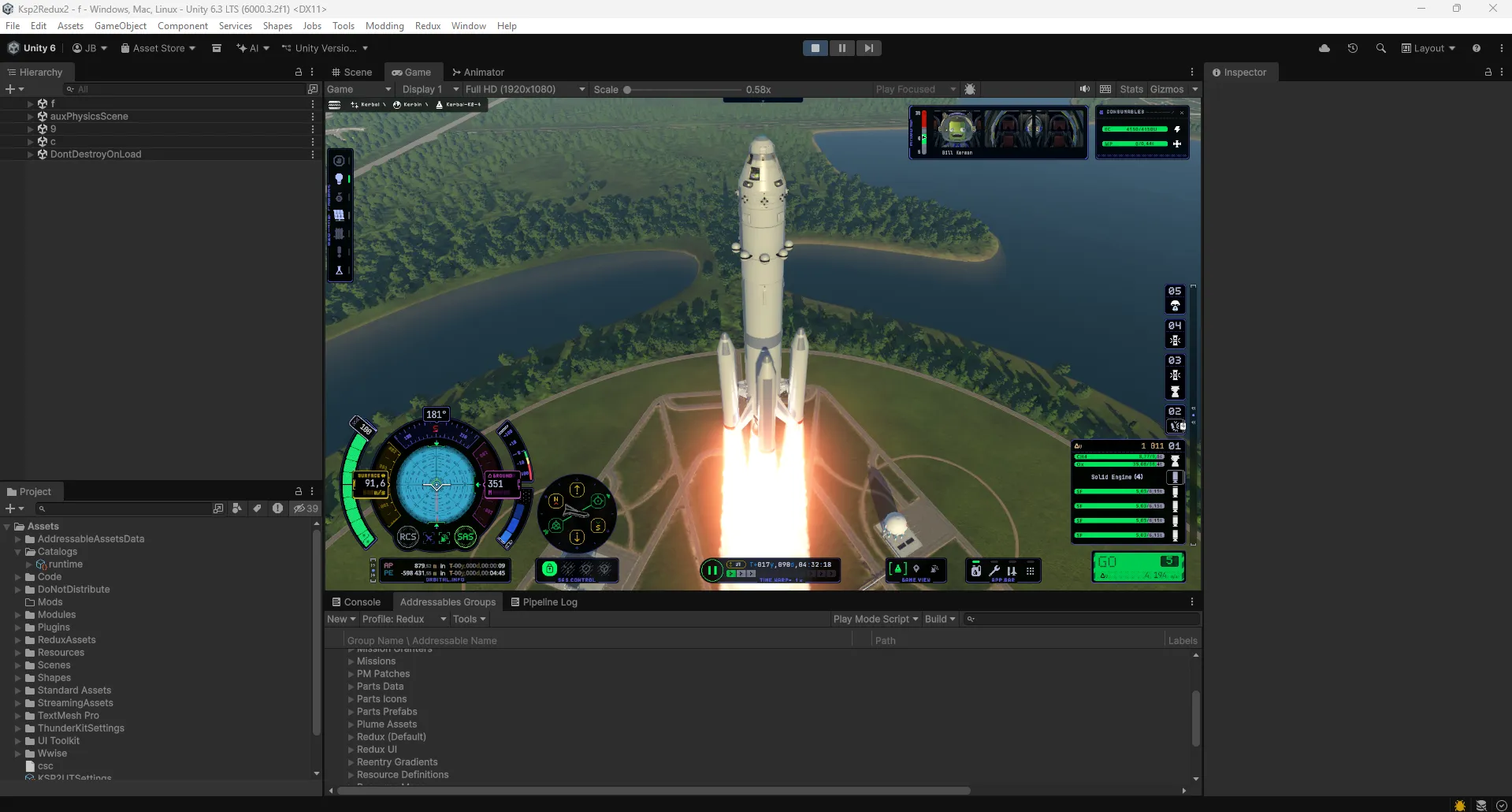
In our case, porting from BRP to SRP is not an easy task though, arguably much more difficult than our big upgrade from Unity 2022.3 to Unity 6.3 (and now 6.4 in development). That’s because we don’t have access to the source code of the game’s shaders, and shaders are often very particular about which render pipeline they work on. That said, there are some ways (dark magic) to “hack” around this and get stuff to render using these normally incompatible shaders, and the video in this post is a look at the first “playable” version of the very early and experimental URP port of the game. Many things are still missing, but it’s honestly been going much better than I expected, so I’m feeling positive about this little side-quest that I’m on!

KSP2 Redux Dev Blog 16 (?): Unity 6.3

When did we stop numbering these dev posts?

Hello everyone! It’s been a minute since the last dev update, as we’ve been busy with our beta releases, fixing bugs, adding more features, etc. However, this new development is a pretty big deal for us, so I thought we might share a bit of info.

We’ve just managed to upgrade KSP2 from Unity 2022.3.5 all the way to the lastest stable Unity 6.3 version (6000.3.2). This means we will have access to all the latest editor tools, Unity bug fixes, new APIs, etc. It will be a huge help to us in continuing to rewrite and update the game’s UI using the newer UI Toolkit library (like you could see in the Color Manager and orbital info panel), as well as in converting the game’s simulation code to Unity’s DOTS.

I first started working on this experiment a couple of weeks ago, but hit a wall that I wasn’t sure we could overcome. We previously thought that this would be a massive undertaking that would require us to rewrite many of the game’s shaders from scratch, as we don’t have access to their sources and the binary serialization layout for the files which (usually) contain the built shaders changes between every version, meaning we couldn’t just take the existing built assets files and reuse them in a new Unity version.

However, thanks to the amazing work that PassivePicasso and Foonix had done on the BundleKit package, we were able to convert those .assets/.assets.resS files into regular asset bundles, which Unity 6.3 can load, and after some work in the Unity internals to redirect shader and other asset loading from those files into our new bundle, as well as modifications to the core TextMeshPro package in order to fix many font bugs that we were faced with (shoutout to cheese_queen for the work on that and more), we now have a 99% functioning build of KSP2 Redux in Unity 6.3! This also means that we will be able to continuously upgrade to new Unity versions as they come out and leverage all the new improvements and technologies that come with them (such as the massive move from Mono to the incomparably faster and more stable .NET that will possibly arrive with Unity 6.7 later this year), which is a huge win for Redux.

This also means that modders will be able to take advantage of all the new Unity improvements when building their mods. The modding SDK and template will be updated soon to bring support for it, and you can expect a new beta build in the near future to help us test this experimental version of the game.

Unity 6.3 upgrade

Public Bug Tracker

Just a tiny update - in-game bug reports are now sent to both our internal bug tracker as well as to our GitHub: https://github.com/KSP2Redux/Redux/issues

You can go there to see progress on bug reports you submitted or comment on issues, as well as use it to report new issues if necessary (e.g. the game doesn’t even launch, or it doesn’t load). In any other case where you can access the in-game bug tracker (Esc -> Report Redux Bug or Ctrl+B), it is always preferable to use it.

v0.2.3 Beta 1

Hello everyone, after a quick round of closed testing and fixing a couple more bugs, we decided to let the floodgates open and give access to the newest beta build to everyone. Please, carefully read the linked post before downloading and/or asking questions, just in case it’s already been answered there.

Keep in mind that this is intended for testing and catching any other last minute bugs before the actual first release.

Instructions and download are available here: https://discord.com/channels/1078696971088433153/1444156522127954064

Status Update

First of all, let me apologize for the lack of news in the past month and a half. We have been struggling hard with various Unity issues plaguing several of the developers, and they irritatingly always affect each just one person and no one can ash figure out why, and the obvious solutions like reimporting files, setting up a fresh copy of the project or even reinstalling Unity just don’t help. (More details: https://discord.com/channels/1078696971088433153/1340177797196414996/1422618937430118500)

In order to get something to you as soon as we can, we have made the decision to cut ISRU out of the initial 0.2.3 release, as it was the biggest blocker for the release - one of the main ISRU developers is one of the people affected by those Unity issues. That should give us some time to hopefully resolve these issues and polish it enough for a later release (which was originally the plan anyway, before we decided to roll all of the Foundation stage into a single release).

Back in June, when we teased the “Summer 2025” release, it seemed very likely that we’d have the release ready by the end of July, or by the end of August in the worst case. That obviously turned out to be wrong, and a large part of that was the fact that we gave ourselves this arbitrary deadline. It caused a lot of stress, overworking ourselves, and inevitably, burnout, which lead to a large part of the dev team stepping back from the project. I take personal responsibility for this, as I was was the one pushing for the internal July deadline and the public announcement of a summer release date, thinking it was a good idea and would motivate us to finish faster.

For that reason, we can’t give you an updated release date because as we’ve learned the hard way, progress is extremely unpredictable and putting pressure on people working for no compensation in their free time just makes this passion project into a very bad unpaid job. So, I’d like to ask you to keep that in mind and give these volunteers the space to do their thing out of the love for the game and the community, and not because they feel under pressure.

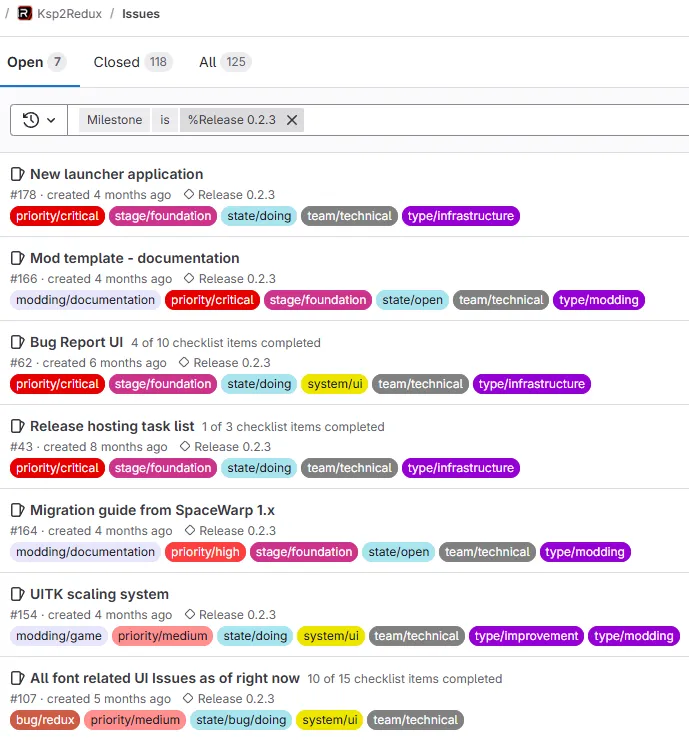
PS: Just to give you some sense of the progress of the release, here’s a little peek at our internal task tracker - we’re sitting at 118/125 done, and most of the game code changes are finished.

Status update task tracker

Tech Tree Features

One of the new features that will be introduced in the initial release of Redux are new tech tree requirements. Tech tree nodes now can have multiple new requirements that have to be met before the node can be researched: missions and science experiments.

In the showcase video, you can see that the nodes with these extra unlock requirements are marked with a small lock icon in the bottom right corner, and when you select them, you will see the requirements listed in the details panel on the left.

Once all the requirements of such a node are met, you will receive a notification that the node is now available for research, and you can proceed to unlock it as usual (that is, if you have enough science points).

Note that the video is only illustrative and the actual nodes with special requirements will be different in the release. Currently, we are planning to have missions gating the progress between the tech tree tiers.

Resource Scanning System - Work in Progress

Resource scanning - work in progress

Here’s another quick look at the latest version of the resource scanning system for a future Redux version.

As you can see in the video, the system is designed in such a way where you may need specialized scanner parts to be able to find certain resources, and so in this showcase, only two (or one in the second clip) out of the three available resources are revealed.